




Choosing a Camera for Videography
Choosing a suitable camera can strengthen your storytelling and improve your video’s visual impact.
Different cameras offer features that significantly influence video quality.
Understanding these differences helps you make an informed choice.
Camera Types for Different Projects
First, consider the camera type that best matches your project.
DSLR and mirrorless cameras provide versatility through interchangeable lenses and high-quality sensors.
Meanwhile, action cameras capture dynamic footage in compact and rugged designs.
Smartphones also offer impressive video capabilities in pocket-sized formats.
Video Resolution Options
Next, evaluate the resolution options available on each camera.
Many videographers choose 4K because it produces sharp and detailed images.
However, 1080p can still satisfy the requirements of many projects.
Therefore, match the resolution to your target platform and production needs.
Frame Rates for Motion
Frame rates strongly influence how smoothly motion appears in recorded footage.
Common choices include 24, 30, and 60 frames per second.
Higher frame rates create smoother motion in many filming situations.
For slow-motion effects, select a camera that records at 120 fps or higher.
Low-Light Performance
Low-light performance matters when you record scenes in dim conditions.
Cameras with larger sensors usually perform better in darker environments.
Also, look for effective noise reduction features to preserve image clarity.
Microphone Inputs and Audio Monitoring
Audio quality deserves the same attention as video quality.
Many cameras support external microphones for improved sound capture.
Choose a model with a microphone input and a headphone jack.
These connections support better audio monitoring during recording.
Matching Camera Features to Your Needs
Finally, assess your specific needs, budget, and project requirements.
Compare camera types, resolution, frame rates, low-light performance, and audio connections.
The right camera can help you create engaging and memorable videos.
Videography Types and Camera Features
Begin by identifying the type of content you plan to create.
Each videography style requires different camera features.
Understanding these differences can guide your equipment selection.
Cinematic Videography Requirements
Cinematic videography uses storytelling and often emphasizes high production value.
Therefore, choose a camera that supports detailed images and flexible production techniques.
Consider the following features for cinematic projects.
- High Resolution: Shoot in 4K or higher to capture detailed images.
- Dynamic Range: Select a camera that handles highlights and shadows effectively.
- Interchangeable Lenses: Use different lenses for varied shot compositions.
- Log Profiles: Record in Log for greater color grading flexibility.
Cinematic projects often require stabilizers and external microphones.
Choose a camera that supports convenient accessory attachment.
Sony A7 series and Canon EOS R series cameras serve many cinematic videographers.
Vlogging Camera Features
Vlogging combines personal storytelling with engaging content.
This style often involves movement and changing shooting conditions.
Prioritize simple, portable features that support quick recording.
- Compact Size: Select a lightweight camera that travels easily.
- Built-in Stabilization: Use stabilization to steady moving shots.
- Flip Screens: Choose a screen that simplifies self-framing.
- Good Autofocus: Use responsive autofocus to keep subjects sharp.
Vloggers often capture fast action and candid moments.
Canon G7X Mark III and Sony ZV-1 cameras support this shooting style.
Their practical features simplify recording and audience engagement.
Transform Your Career Today
Unlock a personalized career strategy that drives real results. Get tailored advice and a roadmap designed just for you.
Start NowDocumentary Filming Considerations
Documentary videography tells stories through real events.
Filmmakers often need flexibility while conditions change.
For that reason, prioritize durability, endurance, audio, and manual control.
- Durability: Choose a camera that withstands varied shooting conditions.
- Long Battery Life: Use a battery that supports extended filming.
- Audio Input: Select reliable input options for external microphones.
- Manual Controls: Adjust settings manually for changing conditions.
Documentary filmmakers benefit from direct control over camera settings.
Panasonic GH5 and Blackmagic Pocket Cinema Camera 4K models offer flexible options.
These cameras support quality results across different filming environments.
Corporate and Commercial Production Needs
Corporate and commercial videography creates promotional content.
Professional results can support polished brand communication.
Choose equipment that balances image quality, control, and efficient operation.
- Professional Aesthetics: Select a camera that creates a cinematic brand look.
- Multiple Format Options: Use varied recording formats for different production needs.
- Ease of Use: Choose intuitive controls for client projects and tight schedules.
- High-Quality Audio Recording: Capture clear sound for corporate presentations.
Canon EOS C series and Fujifilm X-T4 cameras suit corporate production.
They combine image quality with useful professional functionality.
Additionally, their features can support consistent client-focused workflows.
Event Videography Camera Priorities
Event videography includes weddings, live performances, and other gatherings.
Fast action and changing lighting can challenge your equipment.
Accordingly, select features that help you react quickly and discreetly.
- Fast Burst Mode: Capture multiple frames quickly during important moments.
- Low-Light Performance: Choose a camera that performs well in dim conditions.
- Wide Angles: Use a wide-angle lens to capture more of each scene.
- Compact and Discreet: Select smaller equipment for subtle filming.
Sony A6600 and Panasonic Lumix G85 cameras address several event filming demands.
They offer features that support diverse event environments.
Use their capabilities to respond to changing scenes and lighting.
Budget and Equipment Priorities
Your intended videography style should guide your camera selection.
Assess your goals and the conditions where you usually shoot.
Then, identify which features matter most for your work.
Budget also plays an important role in equipment decisions.
Camera prices vary, so select equipment that matches your financial capabilities.
Furthermore, invest in suitable lenses and accessories alongside the camera body.
Creative decisions ultimately influence how effectively you use your equipment.
Determine Your Budget
Set a budget before investing in a camera for videography.
A financial limit narrows your options and supports a sound investment.
Camera prices vary widely, so understand the available range before deciding.
Camera Price Ranges
Camera categories serve different needs and provide distinct features.
Entry-level models suit beginners who want decent quality and simple operation.
Mid-range models provide stronger performance and features for serious projects.
- Entry-Level Cameras ($300 – $700): These cameras provide accessible options for beginners.
- Mid-Range Cameras ($700 – $2,000): These cameras often produce high-quality video for serious projects.
- Professional Cameras ($2,000+): These cameras offer advanced features for full-time videographers and filmmakers.
Compare the camera price with the cost of lenses, tripods, and other accessories.
This comparison helps align your purchase with your videography needs.
Benefits of a Larger Camera Budget
A larger budget typically provides access to better camera quality.
Enhanced sensors and superior lenses can produce clearer, more vibrant images.
Additionally, higher-priced cameras often provide more versatile options.
- Improved Low-Light Performance: Higher-end cameras often produce clearer footage in dim settings.
- Higher Resolution: More expensive cameras usually produce sharper, clearer videos.
- Advanced Autofocus: Premium models can track moving subjects quickly and accurately.
- More Extensive Lens Options: Higher-end models support many lenses and expand creative possibilities.
However, not every videographer needs a high-budget camera.
Many lower-priced cameras still deliver effective performance.
Quality Options for Lower Budgets
Limited budgets can still support strong camera choices.
Camera quality has improved significantly across lower-priced options.
Transform Your Career Today
Unlock a personalized career strategy that drives real results. Get tailored advice and a roadmap designed just for you.
Start NowEvaluate your requirements before choosing equipment.
- Smartphones: Many modern smartphones provide excellent video capabilities and advanced stabilization.
- Compact Cameras: Some compact models offer good video quality and built-in stabilization.
- DSLRs and Mirrorless Cameras: Entry-level models provide manual controls and strong video quality.
- Used or Refurbished Models: These cameras can provide substantial savings without sacrificing quality.
Budget-friendly equipment can meet many videography needs.
Choose a model that matches your specific requirements.
Feature Priorities for Different Budgets
Your budget also helps determine which camera features deserve priority.
Consider the requirements of your filming style before selecting features.
Not every videographer needs the same capabilities.
- Video Resolution: Choose at least 1080p for standard videos, or consider 4K when possible.
- Frame Rate: Select 60fps when filming action or fast-moving subjects.
- Image Stabilization: Use built-in stabilization to reduce shaky footage.
- Audio Input Options: Choose an external microphone input for better audio quality.
Feature priorities should reflect how and where you plan to film.
Careful prioritization prevents unnecessary spending.
Researching and Comparing Camera Options
Research camera models after establishing your budget.
Read expert and user reviews to assess performance.
Compare prices and features to identify suitable options.
Camera comparison websites and YouTube reviews can provide useful insights.
Local camera shops may also let you test different models.
Handling several cameras can help you find a comfortable fit.
Camera Longevity and Upgrade Paths
Consider a camera’s longevity before completing your purchase.
Some models support future enhancements as your skills develop.
Durable and versatile equipment can continue serving you over time.
Research models that maintain resale value for potential future upgrades.
Upgrade options can provide greater flexibility and peace of mind.
Matching Your Camera to Your Creative Goals
Choosing a camera can feel overwhelming without a clear budget.
Price ranges and feature priorities make the decision easier.
The right camera should fit both your creative goals and financial limits.
Whether your budget is high or low, many options remain available.
Choose equipment that supports your style and encourages consistent creation.
Uncover the Details: Impact of Sports Announcers on Viewership
Research Camera Specifications
Camera specifications influence video quality, flexibility, and production efficiency.
Each feature affects how you capture, process, monitor, and store footage.
Understanding these specifications helps you evaluate cameras for different production requirements.
Resolution and Image Detail
Resolution describes the number of pixels that create a video image.
Higher resolution provides more detail and creates greater flexibility during editing.
It also helps footage appear sharper on larger screens.
- SD: This format uses 720×480 pixels and suits limited modern applications.
- HD: This format uses 1280×720 pixels and provides a basic modern standard.
- Full HD: This format uses 1920×1080 pixels and supports high-quality video.
- 4K Ultra HD: This format uses 3840×2160 pixels and provides four times Full HD detail.
- 8K Ultra HD: This format uses 7680×4320 pixels and delivers extremely detailed images.
High-resolution footage allows editors to crop or zoom without losing as much clarity.
Frame Rates and Motion
Frame rate indicates how many frames a camera captures each second.
This setting affects motion smoothness and the visual character of your footage.
Your project goals should guide the frame rate you select.
- 24 fps: This rate creates a classic cinematic appearance.
- 30 fps: This rate suits online content and produces slightly smoother motion.
- 60 fps: This rate captures fluid movement during fast-paced action.
- 120 fps and above: These rates support slow-motion effects and dramatic visuals.
Choose lower rates for cinematic motion and higher rates for smooth or slowed footage.
Lens Compatibility and Creative Control
Lens compatibility determines how widely you can adapt the camera to different scenes.
Different lenses change focal length, framing, depth, and aperture performance.
Interchangeable lenses provide greater control over your shooting choices.
- Prime lenses: These lenses use fixed focal lengths and often perform well in low light.
- Zoom lenses: These lenses provide variable focal lengths and flexible framing.
- Wide-angle lenses: These lenses capture more of landscapes and confined spaces.
- Telephoto lenses: These lenses bring distant subjects closer for wildlife or sports footage.
Match lens options with your preferred subjects, locations, and framing approach.
Transform Your Career Today
Unlock a personalized career strategy that drives real results. Get tailored advice and a roadmap designed just for you.
Start NowLow-Light Performance and Stabilization
Low-light performance determines how effectively a camera handles dim environments.
Sensor size and camera technology strongly influence the amount of captured light.
Indoor and event videographers should examine this specification carefully.
- Sensor size: Larger sensors typically capture more light and reduce low-light noise.
- ISO range: Higher ISO settings support dim conditions but can increase image noise.
- Image stabilization: Stabilization helps maintain smoother handheld footage.
Evaluate noise control and stabilization together when you regularly film without ideal lighting.
Audio Inputs and Monitoring
Audio quality contributes directly to the production value of video projects.
External audio connections give you more control over recorded sound.
Monitoring tools help you identify audio problems while filming.
- Microphone inputs: A 3.5mm input supports connection to external microphones.
- Phantom power: This feature powers compatible professional microphones through the camera.
- Headphone outputs: These outputs support real-time audio monitoring during recording.
Always review audio connections before choosing a camera for serious video production.
Video Compression Codecs
A codec processes and stores video data.
Different codecs balance image quality, file size, and editing requirements differently.
Your post-production workflow should influence the codec options you prioritize.
- H.264: This codec balances image quality with manageable file sizes.
- HEVC, or H.265: This codec reduces file sizes while maintaining comparable quality.
- ProRes: This format supports professional editing and produces larger files.
Before purchasing, confirm that the camera supports codecs suited to your storage and editing process.
Battery Life and Shooting Endurance
Battery life affects how long you can record between charging sessions.
Longer shoots require reliable power management and practical backup options.
Review battery performance before committing to a camera.
- Battery capacity: Higher milliampere-hour ratings generally support longer operating times.
- Removable batteries: Interchangeable batteries let you carry spares for extended shoots.
- Energy-saving features: Power-saving modes can extend total battery life.
A camera with suitable battery support helps reduce interruptions during filming.
Matching Specifications to Production Needs
Resolution, frame rate, lenses, lighting, audio, codecs, and battery life work together.
Each specification influences the camera’s usefulness in particular filming conditions.
Compare these features with your workflow to identify the most suitable camera.
Discover More: Navigating Media Relations in the Digital Age
Choosing a camera requires careful research and practical evaluation.
Reviews and comparisons reveal how different models support specific videography needs.
They also clarify important trade-offs involving performance, features, and cost.
Use this information to make a more confident equipment decision.
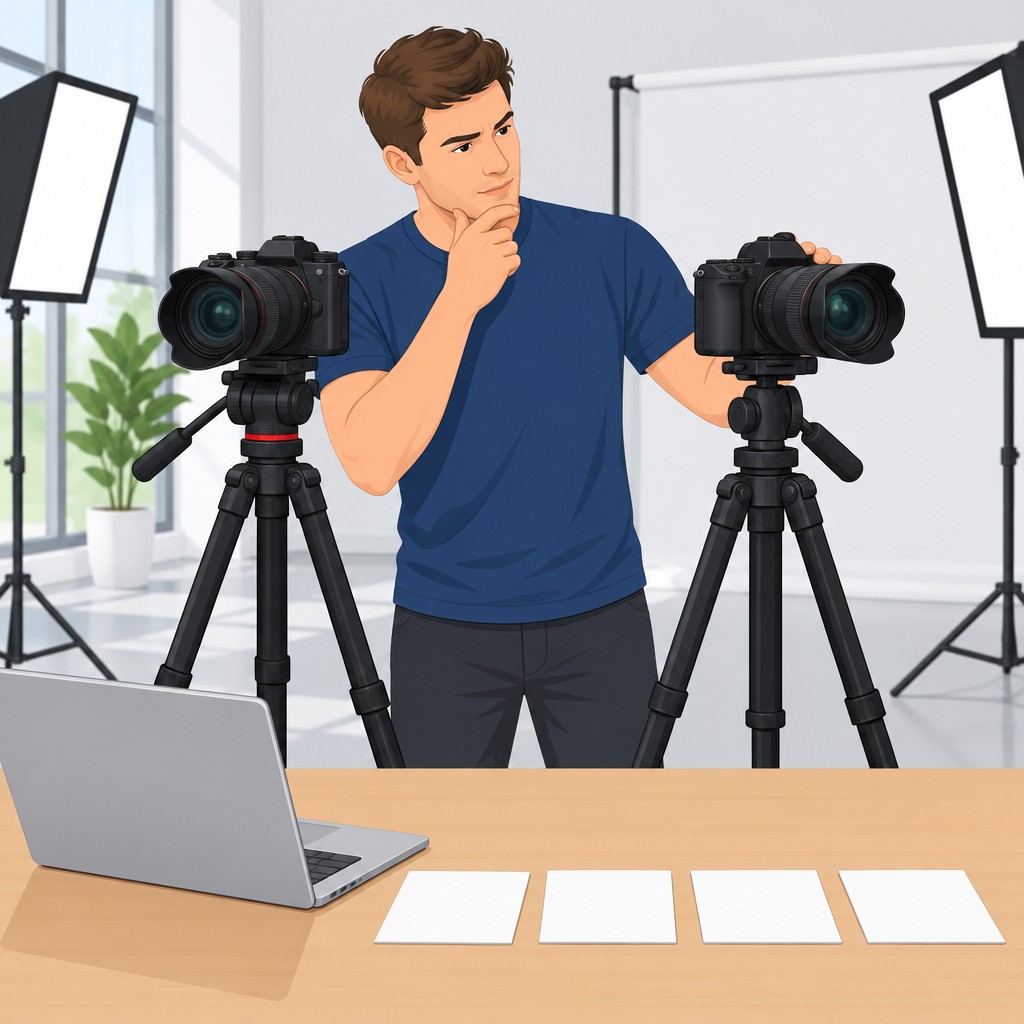
Insights from Professional Camera Reviews
Professional reviewers draw on experience across many filming situations.
Their testing can show how cameras perform beyond basic specifications.
Additionally, experienced reviewers often explain technical strengths and practical limitations.
- Professionals use diverse filming scenarios to identify camera strengths and weaknesses.
- Real-world testing demonstrates performance under practical recording conditions.
- Technical analysis examines dynamic range, low-light performance, and autofocus capabilities.
- Comparative reviews show how one camera performs against another model.
- User feedback can reveal recurring advantages or potential problems.
Therefore, professional reviews provide context that product descriptions often lack.
Advantages of Comparing Camera Models
Direct comparisons make differences between camera models easier to understand.
They also help you connect available features with your filming priorities.
Furthermore, comparisons expose compromises that individual reviews may not emphasize.
- Side-by-side evaluation clarifies sensor size, resolution, and stabilization features.
- Price comparisons identify suitable options within your available spending limit.
- Trade-off analysis helps match strengths and weaknesses to your filming style.
- Comparisons can reveal distinctive features designed for videographers.
- Narrowing the options makes the final selection more manageable.
As a result, comparison helps you prioritize meaningful capabilities.
Methods for Researching Camera Reviews
Effective research begins with a clear understanding of your intended projects.
Next, gather information from several dependable sources.
Then, compare consistent details across each review.
- Identify required resolution, frame rates, and recording conditions.
- Consult trusted websites, photography blogs, and industry platforms.
- Check publication dates because camera technology changes quickly.
- Review multiple perspectives to recognize different user experiences.
- Join videography communities for practical, personalized suggestions.
This process builds a broader understanding of each camera’s practical suitability.
Features Worth Comparing in Camera Reviews
Review the features that directly affect recording quality and workflow.
However, prioritize capabilities according to your production requirements.
A feature matters most when it supports the way you create videos.
- Video resolution affects image detail and delivery options.
- Frame-rate choices support different creative and recording requirements.
- Low-light performance expands opportunities in challenging lighting conditions.
- Reliable autofocus helps maintain focus on moving subjects.
- External microphone support can improve the recorded audio workflow.
Careful feature analysis helps you select equipment that supports your intended work.
Transform Your Career Today
Unlock a personalized career strategy that drives real results. Get tailored advice and a roadmap designed just for you.
Start NowApplying Review Insights to Camera Selection
Camera selection becomes clearer when you combine professional testing with direct comparisons.
First, identify the capabilities that your projects require most.
Next, weigh those capabilities against practical limitations and available choices.
Finally, choose the model that best supports your creative process.
Thorough evaluation can strengthen production decisions and support more effective storytelling.
Delve into the Subject: How to Deal with Audio Engineering Burnout
Essential Equipment for Videography
Choosing a camera matters, but supporting equipment also shapes production quality.
Accessories can stabilize footage, improve audio, and strengthen visual storytelling.
Therefore, evaluate each accessory alongside your camera before building your setup.
Tripods for Stable Camera Movement
A sturdy tripod keeps shots stable and supports smooth pans and tilts.
Choose a model that matches your camera, accessories, and shooting conditions.
Consider these characteristics when selecting a tripod.
- Material: Aluminum tripods remain lightweight and affordable, while carbon fiber models offer greater durability.
- Load Capacity: Confirm that the tripod supports your camera and attached equipment.
- Height Adjustability: Adjustable legs provide flexibility across different shooting scenarios.
- Head Type: Fluid heads support smooth video movements, while ball heads provide greater versatility.
Your camera choice influences the tripod you need.
Some tripods have compatibility limits involving heavier cameras or specialized mounting requirements.
Check these limits before purchasing a support system.
Microphones for Clearer Audio
Audio quality strongly affects how viewers experience a video.
A suitable microphone captures dialogue and reduces distractions during recording.
Choose a microphone type that fits your subject and filming environment.
- Lavalier Mics: These clip onto clothing and capture dialogue clearly.
- Shotgun Mics: These capture directional audio while minimizing background noise.
- Handheld Mics: These suit interviews and dynamic environments where speakers move freely.
- Wireless Systems: These provide freedom of movement during on-location filming.
Also, check your camera’s audio input compatibility.
Some cameras require adapters for particular microphone systems.
Confirm the connection requirements before selecting your audio equipment.
Lighting Equipment for Professional Footage
Proper lighting can transform footage and create a polished appearance.
Different tools shape light in distinct ways.
Select equipment according to your subject, location, and available natural light.
- LED Panels: These provide adjustable brightness and color temperatures.
- Softbox Lights: These create softer light and help reduce harsh shadows.
- Reflectors: These bounce light onto subjects and enhance natural illumination.
- Ring Lights: These suit close-up beauty and product footage.
Your camera’s low-light performance also affects your lighting requirements.
Some cameras need less additional lighting in darker conditions.
Other cameras may require a more extensive lighting setup.
Additional Accessories for Efficient Filming
Several additional tools can improve camera movement and shooting efficiency.
These accessories support stabilization, exposure control, power, and file storage.
Match each item with your camera’s mounting and recording requirements.
- Gimbals: These stabilizers smooth camera movements during action shots and dynamic footage.
- Lens Filters: ND and polarizing filters control light entry and enhance visuals.
- Battery Packs: Additional batteries support extended shooting sessions.
- Memory Cards: High-speed, high-capacity cards support video recording, including 4K footage.
Accessory compatibility often depends on your chosen camera model.
Different cameras support different mounts and equipment types.
Review those requirements before assembling your complete filming kit.
Camera and Accessory Compatibility
A practical setup depends on how well your camera integrates with supporting equipment.
Evaluate connections, weight, power, and mounting options before purchasing accessories.
This process helps your equipment operate smoothly during production.
- Ports and Connections: Ensure the camera provides required inputs for microphones and audio equipment.
- Weight Considerations: Heavier cameras require sturdier tripods and supports.
- Power Requirements: Check battery life and compatibility with additional lights or accessories.
- Mounting Options: Confirm adequate mounting points for tripods, gimbals, and other accessories.
Stable support, clear audio, and controlled lighting each contribute to professional-quality video.
Compatible accessories also improve mobility and simplify the filming process.
Review every connection and requirement before finalizing your videography setup.
Building a Cohesive Videography Setup
The right accessories can significantly improve your videography experience.
Transform Your Career Today
Unlock a personalized career strategy that drives real results. Get tailored advice and a roadmap designed just for you.
Start NowTripods, microphones, lights, and supporting tools each serve a specific production purpose.
When these components work together, filming becomes more controlled and efficient.
Gain More Insights: How Market Research Analysts Can Stay Updated
Why Hands-On Camera Testing Matters
Hands-on testing shows how each camera performs in real-world shooting situations.
It also helps you identify the model that matches your videography needs and preferences.
Therefore, testing cameras before purchase can support a more informed equipment decision.
- Feel and Handling: Handling each camera helps you assess its weight, size, and button layout.
- Image Quality: Testing reveals how each model captures color, detail, and dynamic range.
- Low Light Performance: Real-world testing shows how cameras perform in low-light conditions.
- Autofocus System: Live shooting lets you evaluate autofocus speed and accuracy.
- Battery Life: Practical use helps you understand how long each camera lasts during shoots.
Practical Ways to Test Different Cameras
You can test cameras through several practical methods.
Each method provides a different opportunity to examine camera functions and shooting comfort.
Use the approach that gives you enough time to evaluate your preferred shooting conditions.
- Visit a Camera Store: Local camera stores often let you handle several models.
- Rent Cameras: Rental services provide extended access for more thorough testing.
- Attend Workshops: Workshops let you practice techniques with different cameras.
- Borrow from Friends: Borrowed cameras allow you to shoot in familiar environments.
- Use Online Demonstrations: Manufacturer demonstrations can introduce camera functions when hands-on access remains limited.
Benefits of Direct Camera Experience
Direct testing offers practical information that specifications alone cannot provide.
It also shows how naturally each camera supports your shooting style.
As a result, hands-on experience can clarify both strengths and limitations.
- Understanding Features: Testing helps you discover unique features and settings.
- Matching Your Needs: Experience helps you identify features suited to your specific shooting style.
- Assessing the Learning Curve: You can determine how quickly you adapt to each camera interface.
- Comparing Quality: Similar shooting conditions allow direct comparisons between image and video quality.
- Identifying Limitations: Testing can reveal limitations that research may not make clear.
Common Mistakes During Camera Testing
A careful testing process produces more useful comparisons.
However, inconsistent methods can make one camera seem stronger than another.
Use consistent settings and realistic accessories to evaluate each model fairly.
- Match the Settings: Use similar settings across cameras for fair image quality comparisons.
- Look Beyond Specifications: Combine specification research with hands-on evaluation.
- Consider Comfort: Assess how comfortably each camera fits your shooting style.
- Test Essential Accessories: Check each camera with the lenses, tripods, and microphones you need.
- Allow Enough Time: Thorough testing reduces the risk of regretting your decision later.
Using Camera Tests to Guide Your Decision
Trying several cameras helps you connect practical performance with your creative requirements.
The experience highlights which controls, capabilities, and handling qualities matter most during production.
Take notes while testing so you can compare each model clearly afterward.
Your chosen camera should support your videography style and everyday shooting needs.
Careful experimentation can help you invest in equipment that feels suitable for your videography journey.
Key Considerations for Videography Camera Selection
Choosing the right camera for videography helps you achieve the desired quality in your projects.
First, identify your needs because each scenario requires different capabilities.
Consider whether you film events, commercials, or documentaries before selecting equipment.
Next, evaluate resolution because higher resolutions provide greater image detail.
Also, review frame rates because they influence motion capture and creative flexibility.
The sensor type also affects camera performance.
Full-frame sensors typically perform better in low-light conditions.
However, crop sensors can meet the needs of many projects.
Balance sensor capabilities against your budget and intended results.
Additionally, choose lenses that match your shooting style and requirements.
Different focal lengths support expansive landscapes and tight close-ups.
Therefore, invest in quality lenses that expand your shooting versatility.
Furthermore, assess the camera’s ergonomics before making your selection.
A comfortable design supports longer sessions, while practical controls simplify adjustments.
Finally, select equipment that can adapt to your evolving needs.
This approach can make your investment more useful for future projects.
Additional Resources
Google search results for Choosing the Right Camera for Videography Media and Communication
Bing search results for Choosing the Right Camera for Videography Media and Communication


