




Voiceover Artists and Their Creative Work
A voiceover artist provides narration and character voices for film, television, video games, and advertising.
These artists bring scripts to life through vocal skill and creative interpretation.
Their work requires versatility and a strong understanding of emotion and tone.
Technical Challenges in Voiceover Production
Technical difficulties create significant challenges during voiceover recording sessions.
Equipment malfunctions can disrupt an otherwise seamless session.
Therefore, artists must manage these hurdles efficiently.
A single technical glitch can waste time and increase costs.
Issues may include microphone failure, poor sound quality, or software crashes.
Because artists rely on advanced technology, they remain vulnerable to these problems.
Understanding potential issues helps artists prepare for unexpected disruptions.
A proactive approach improves the overall quality of their work.
Moreover, voiceover artists need strong problem-solving skills.
When difficulties arise, quick thinking becomes crucial.
They often troubleshoot audio issues during recording.
This ability can distinguish successful artists from their peers.
Regular equipment practice can minimize future challenges.
Familiarity with technology helps artists remain calm under pressure.
Additionally, regular maintenance helps prevent equipment problems.
Keeping software updated supports reliable recording sessions.
Backup equipment can also protect a recording session.
For example, a spare microphone or laptop can prevent a session from failing.
Finally, artists should build a support network.
Collaboration with sound engineers and technicians strengthens troubleshooting abilities.
Reliable technical responses can enhance an artist’s reputation.
Clients value professionalism and dependability from their chosen artists.
Maintaining composure during a crisis demonstrates commitment to the craft.
Voiceover artists face technical difficulties that can interrupt recording sessions and affect audio quality.
Understanding these problems helps professionals respond quickly and protect their workflow.
This section examines background noise, equipment faults, software errors, and storage concerns.
Common Technical Issues Faced by Voiceover Artists
Several technical challenges can affect voiceover recordings.
Recognizing warning signs allows artists to address problems before they disrupt production.
Regular preparation also supports consistent audio quality during demanding projects.
- Background Noise
- Microphone Malfunctions
- Software Glitches
- Audio Interface Problems
- Hard Drive Malfunctions
Managing Background Noise
Background noise can undermine otherwise professional recordings.
It may enter through traffic, appliances, outdoor activity, or uncontrolled room acoustics.
Therefore, artists should evaluate the recording space before every session.
- Traffic: Cars, trucks, and motorcycles can create distracting noises.
- Appliances: Refrigerators, air conditioners, and heaters often produce hums or buzzes.
- Outdoor Sounds: Birds, lawnmowers, and construction work can enter recordings.
- Room Acoustics: Uncontrolled echo and reverberation can reduce audio quality.
Artists often select quieter spaces and use soundproofing materials to reduce unwanted sounds.
They may also choose microphones with built-in noise-canceling features.
Resolving Microphone Malfunctions
Microphones can develop hardware or usage problems that affect recorded sound.
Loose cables, missing phantom power, and capsule damage can interrupt performance.
Meanwhile, an unsuitable frequency response can change the recording’s character.
Transform Your Career Today
Unlock a personalized career strategy that drives real results. Get tailored advice and a roadmap designed just for you.
Start Now- Connection Issues: Loose cables can cause static or silence.
- Power Supply Failures: Some microphones require phantom power to operate.
- Capsule Damage: Physical damage can produce distorted audio.
- Frequency Response Problems: Poor microphone choices can create undesirable sound characteristics.
Regular maintenance and testing help artists identify microphone problems before recording.
High-quality cables and suitable microphones can also reduce interference and improve sound quality.
Addressing Software Glitches
Audio editing software supports many voiceover tasks, yet technical glitches can halt production.
Crashes, latency, compatibility problems, and corrupted files can create significant delays.
Consequently, artists should monitor software performance throughout each project.
- Crashes: Sudden program failures can cause lost work and wasted time.
- Audio Latency: Delays between speaking and hearing output can feel disorienting.
- Compatibility Problems: Software and hardware conflicts can hinder performance.
- Corrupted Files: Damaged sound files may become unusable.
Keeping programs updated can resolve known bugs and improve performance.
Frequent saving and reliable voiceover software can also reduce the risk of data loss.
Correcting Audio Interface Problems
An audio interface connects the microphone to the computer.
Problems with this connection can prevent monitoring, recording, or stable device operation.
Proper configuration helps artists identify interface faults before they affect a session.
- Driver Issues: Outdated drivers can cause connectivity problems.
- Insufficient Power Supply: Limited power can cause dropped connections or distortion.
- Input/Output Routing Errors: Incorrect settings can block monitoring or recording.
- Firmware Problems: Firmware discrepancies can cause device malfunctions.
Artists should update drivers, configure settings correctly, and test connectivity regularly.
Reviewing the interface manual can also support more effective troubleshooting.
Protecting Work Against Hard Drive Malfunctions
Hard drive failures can disrupt projects and interrupt an artist’s workflow unexpectedly.
Limited space, disk errors, bad sectors, and overheating can threaten stored recordings.
For that reason, artists should monitor storage conditions and protect important files.
- Insufficient Space: Full drives can cause slow performance and crashes.
- Disk Errors: Physical wear can contribute to corrupted files.
- Bad Sectors: Damaged areas can make parts of a drive inaccessible.
- Overheating: Excessive heat can cause drive failure and data loss.
Regular backups to cloud storage or external drives can reduce the impact of hardware failure.
Artists should also monitor drive health and consider solid-state drives for storage upgrades.
Maintaining a Reliable Recording Workflow
Technical preparation helps voiceover artists respond to problems before they damage recordings.
Routine testing, careful maintenance, and dependable backups support smoother production.
These practices help professionals deliver consistent audio despite common technical difficulties.
Tips for Preventing Technical Difficulties
Recording quality depends heavily on your voiceover setup.
A reliable environment helps minimize technical issues during recording sessions.
These practical steps can help you create an effective recording space.
Setting Up a Professional Recording Environment
Start by selecting a quiet location with minimal background noise.
Next, remove distractions that could interrupt your recording process.
Use the following guidelines to improve your recording environment.
- Choose a Quiet Room: Select a dedicated room without distractions or background noise.
- Control Ambient Sound: Use thick carpets and heavy curtains to absorb sound.
- Reduce Wall Reflections: Add acoustic panels or foam to reduce echo and reverberation.
- Minimize Electronics Noise: Keep equipment away from fans and air conditioning units.
- Consider Room Shape: Choose an irregularly shaped room for better sound diffusion.
After choosing a suitable space, arrange your equipment carefully.
Proper positioning can improve audio quality and simplify adjustments.
- Use a Pop Filter: Place it between your mouth and microphone to reduce plosive sounds.
- Position the Microphone Correctly: Place it approximately six inches from your mouth.
- Use a Headphone Stand: Keep cables away from walkways to prevent accidents.
- Organize Cables: Use cable ties or organizers to keep equipment neat and accessible.
Lighting also affects how easily you can see and adjust recording settings.
Therefore, choose lighting that supports comfortable equipment use.
- Use Soft Light: Avoid harsh lights that create shadows.
- Ensure Visibility: Keep equipment visible without straining your eyes.
Ventilation matters because fresh airflow can improve comfort during sessions.
However, airflow should not introduce excessive background noise.
- Use a Quiet Fan: Choose equipment designed for quiet operation when necessary.
- Open Windows Carefully: Use windows during periods with lower traffic noise.
Maintaining and Troubleshooting Equipment Regularly
Even a professional setup can develop technical problems.
Regular maintenance helps you prevent many avoidable disruptions.
Check the following equipment areas routinely.
- Clean Your Equipment: Wipe surfaces regularly to remove accumulated dust.
- Check Cables for Damage: Inspect cables for frayed or damaged sections.
- Test Connections: Confirm that every connection remains secure before recording.
Software maintenance also supports consistent recording performance.
In addition, current updates can improve performance and correct software bugs.
- Update Recording Software: Install the latest versions of your audio software.
- Maintain Driver Updates: Keep device drivers current to reduce compatibility issues.
Run regular system checks to identify problems early.
Early detection can reduce stress before important recording sessions.
- Test Your Microphone: Perform regular sound tests to confirm clarity and performance.
- Assess Your Interface: Check audio levels and connections frequently.
- Back Up Your Work: Save and back up recordings regularly to prevent data loss.
Troubleshooting Common Recording Problems
Even careful preparation cannot prevent every recording problem.
Transform Your Career Today
Unlock a personalized career strategy that drives real results. Get tailored advice and a roadmap designed just for you.
Start NowKnowing basic troubleshooting steps can save valuable time.
Use these checks when common problems appear.
- Excessive Background Noise: Check open windows and nearby electronic interference.
- Distorted Audio: Move farther from the microphone and adjust gain levels.
- Playback Issues: Check audio levels and restart your recording software if necessary.
Additionally, follow a checklist before every recording session.
This habit reduces the chance of overlooking important settings.
- Equipment Functionality: Confirm that all equipment works properly.
- Room Preparedness: Confirm that the recording space remains quiet and optimized.
- Software Settings: Verify that your recording settings are configured correctly.
A consistent recording ritual can make common adjustments easier.
Furthermore, routine testing helps you identify problems before recording begins.
- Warm-Up Exercises: Complete vocal warm-ups before recording.
- Routine Testing: Play a test recording and listen for problems.
Stay flexible because each recording session may present different challenges.
Use mistakes as opportunities to improve your preparation.
- Learn from Mistakes: Analyze problems and adjust your process afterward.
- Develop Problem-Solving Skills: Improve your ability to troubleshoot hardware and software challenges.
Integrate these practices into your regular recording routine.
A prepared environment supports stronger voiceover performance.
Maintain your equipment consistently to deliver high-quality recordings.
See Related Content: How to Balance Multiple Media Platforms
Staying Calm During Technical Problems
Technical problems can interrupt recording sessions and disrupt an artist’s focus.
Managing emotional reactions helps voiceover artists protect their performance quality.
- Practice Deep Breathing: Take slow breaths to reduce anxiety.
- Inhale for four counts, hold for four counts, and exhale for six counts.
- Maintain a Positive Mindset: Replace negative thoughts with encouraging affirmations.
- Remind yourself that you can fix problems.
- Visualize Success: Picture a smooth recording before starting the session.
- Imagine overcoming obstacles with confidence.
- Take Breaks: Pause when frustration begins to build.
- Step away from the equipment to clear your mind.
- Stay Hydrated: Drink water to support focus and help prevent headaches.
- Use Humor: Laugh at the situation when appropriate.
- A light-hearted attitude can reduce tension.
- Focus on Control: Concentrate on your voice and delivery.
- Breathe and Reset: Breathe deeply when you feel overwhelmed.
These techniques can help you remain composed during stressful recording situations.
Calm behavior also supports stronger overall performance.
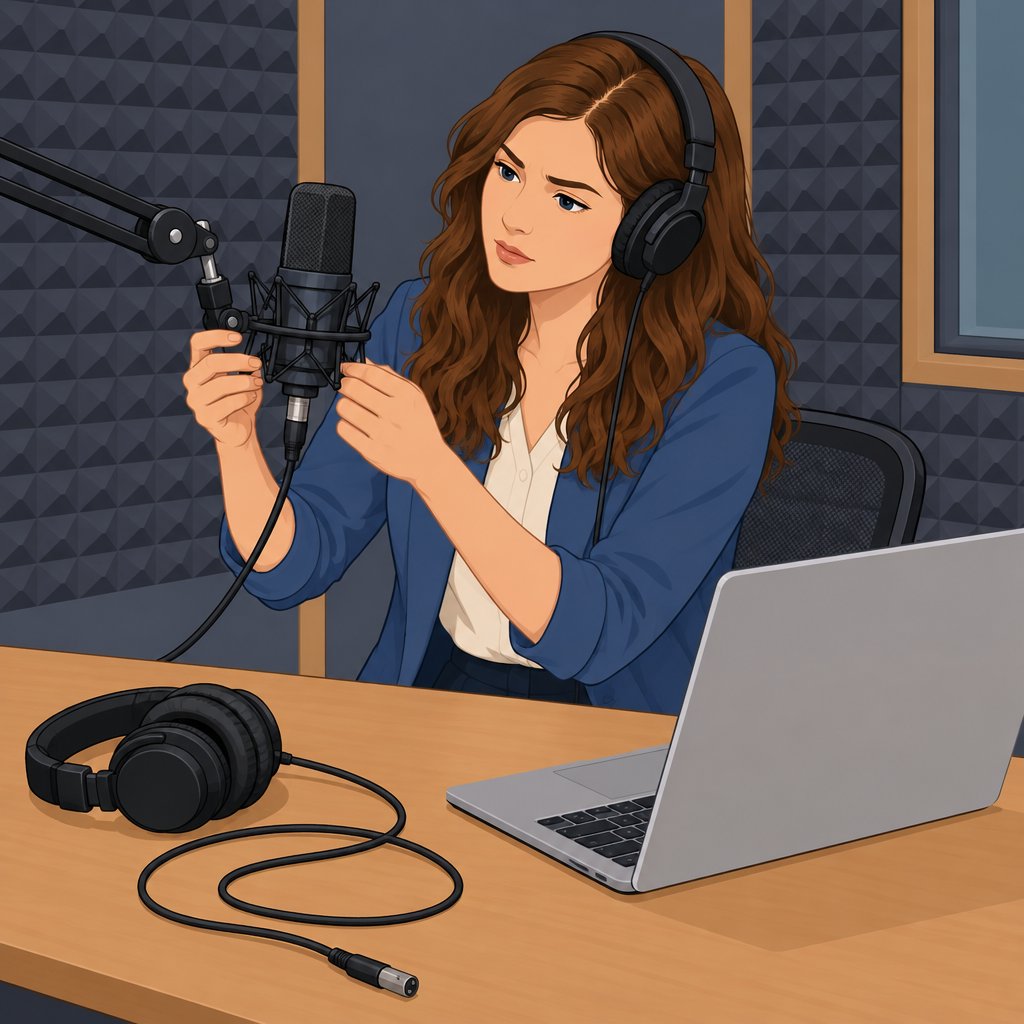
Strategies for Resolving Recording Problems Quickly
Technical difficulties can cause frustration during recording sessions.
Quick troubleshooting helps you protect quality without losing valuable time.
- Have a Backup Plan: Keep backup headphones and microphones nearby.
- Backup equipment supports a smoother transition when something fails.
- Check Settings Before Recording: Review equipment and software settings before each session.
- Careful checks can prevent common problems.
- Keep a Troubleshooting Guide: Create a checklist of common problems and solutions.
- A checklist can streamline your response.
- Familiarize Yourself with Your Equipment: Learn your gear’s main features and controls.
- Equipment knowledge reduces confusion during technical problems.
- Utilize Remote Collaboration Tools: Use collaboration tools to communicate issues clearly.
- Direct communication can help remote partners provide immediate support.
- Test All Equipment: Test microphones, interfaces, and software before recording.
- Confirm that every component functions properly.
- Maintain Clear Communication: Discuss problems openly without panic.
- Set Realistic Timeframes: Add buffer time to your schedule.
- Extra time lets you troubleshoot without rushing.
These strategies help you address problems while maintaining recording quality.
A prepared workflow makes technical interruptions easier to manage.
Combining Composure with Practical Problem-Solving
Emotional control and practical action work together during technical difficulties.
Remaining composed improves your ability to evaluate problems and choose effective solutions.
- Acknowledge the Issue: Recognize the problem instead of reacting with panic.
- Acceptance can reduce anxiety and support clearer thinking.
- Assess the Situation: Evaluate what went wrong and identify possible causes.
- Implement Solutions Step by Step: Address each solution individually.
- Rushing can create additional mistakes.
- Compile Essential Contacts: Keep technical support contacts available.
- Knowing whom to contact can provide reassurance.
- Practice Mindfulness: Include mindfulness exercises in your routine.
- Mindfulness can help you respond thoughtfully.
- Use Visualization Techniques: Imagine overcoming challenges successfully.
- Visualization prepares your mind for effective action.
- Possess a Learning Mindset: Treat every problem as a learning experience.
- Reflect on successful and unsuccessful choices after each session.
Building Resilience During Recording Challenges
Technical difficulties affect every voiceover artist’s journey at times.
Composure and troubleshooting skills can turn stressful interruptions into productive moments.
These practices help you act quickly and thoughtfully when challenges arise.
They can also support a smoother and more enjoyable recording experience.
Each challenge offers an opportunity to strengthen your professional approach.
Discover More: Film Producer's Insight: From Script to Screen
Voiceover artists rely on software to record, edit, and refine audio.
These tools can make technical troubleshooting more organized and efficient.
Online communities also provide practical guidance when software or equipment creates obstacles.
Software Tools for Audio Troubleshooting
Several software options help voiceover artists identify and correct audio problems.
Each tool offers different features for recording, editing, noise reduction, or audio repair.
Therefore, artists can select tools that match their workflows and technical needs.
- Audacity: Audacity provides free, open-source tools for recording and editing audio.
- Adobe Audition: Adobe Audition offers advanced editing features and tools for removing unwanted noise.
- Reaper: Reaper provides an affordable digital audio workstation with flexible customization options.
- Voxengo DeNoiser: Voxengo DeNoiser filters background interference from voice recordings.
- iZotope RX: iZotope RX repairs clicks, pops, background noise, and other audio problems.
Artists can build a dependable troubleshooting toolkit by learning several complementary programs.
Online Resources for Technical Guidance
Online communities extend technical support beyond the software itself.
Members often exchange solutions, explain workflows, and discuss their experiences with recording equipment.
Meanwhile, tutorials and podcasts can provide focused instruction for specific audio challenges.
- Voices.com: The Voices.com forum gives artists a place to discuss technical questions and solutions.
- Reddit’s r/voiceover: This community covers software, equipment, and other voiceover troubleshooting topics.
- Voices Behind the Mic: This podcast features professionals discussing voiceover experiences and technical challenges.
- YouTube tutorials: YouTube channels demonstrate audio software, recording methods, and troubleshooting techniques.
- Facebook groups: Voiceover groups allow members to exchange advice and discuss common technical problems.
Active participation can help artists find solutions while building useful professional connections.
Proactive Practices for Reliable Workflows
Artists can reduce disruption by preparing for common software and equipment problems.
Transform Your Career Today
Unlock a personalized career strategy that drives real results. Get tailored advice and a roadmap designed just for you.
Start NowConsistent habits also make recurring issues easier to recognize and resolve.
For that reason, a proactive workflow supports both efficiency and creative focus.
- Regular software updates: Keep audio programs updated to receive bug fixes and performance improvements.
- Backup projects: Save project backups regularly so earlier versions remain available after technical problems.
- Quality equipment: Choose reliable microphones and audio interfaces to support consistent recording quality.
- Workflow habits: Follow a consistent recording routine to limit unnecessary variables during production.
- Issue documentation: Record recurring problems and solutions for quicker troubleshooting later.
These practices help artists respond to technical setbacks with greater preparation.
Building Confidence Through Technical Preparation
Technical preparation allows voiceover artists to protect their recording workflows.
Understanding available software makes audio problems less intimidating.
Furthermore, supportive communities can turn difficult moments into opportunities for learning.
Artists who combine practical tools with reliable habits can approach future projects more confidently.
This balance between creativity and technology supports continued growth in voiceover work.
Discover More: Freelance Voiceover Artist: Pros and Cons
Working with Tech Support Teams
Technical difficulties can challenge voiceover artists during important recording projects.
When problems exceed your skills, a tech support team can provide valuable assistance.
Therefore, expert support lets you protect your creative focus while addressing complex technical issues.
- Tech support professionals understand audio equipment and software through extensive training.
- Expert assistance saves time and lets you concentrate on voiceover work.
- Specialized tools help support teams diagnose and resolve problems efficiently.
- Experienced professionals can identify issues that you may not recognize.
- Some services offer assistance throughout the day and night.
- Follow-up services can help prevent similar problems from returning.
- Reliable support reduces anxiety and strengthens your confidence during recording sessions.
Communicating with Tech Support Professionals
Clear communication helps support professionals understand your situation and respond effectively.
Before contacting them, collect relevant details about your equipment, software, and previous troubleshooting efforts.
Additionally, describe the problem calmly, specifically, and without unnecessary technical language.
- Record model numbers, error messages, and earlier troubleshooting steps.
- Use simple language when explaining the technical difficulty.
- Describe exactly what happens instead of saying that something fails.
- Document recurring problems so professionals can identify useful patterns.
- Explain when the issue began and mention recent changes.
- Describe how the difficulty affects your voiceover work.
- Remain patient while professionals diagnose and address the issue.
- Maintain a polite and professional attitude during every interaction.
- Ask questions whenever instructions or recommendations seem unclear.
- Contact the team again if the problem returns.
Protecting Your Creative Workflow
A cooperative relationship with tech support can make complex projects easier to manage.
Furthermore, timely assistance improves productivity and supports higher-quality audio work.
By communicating well, you can resolve problems without allowing technical concerns to dominate your attention.
Consequently, expert support gives your creative work more room to develop.
Reach out when technical difficulties threaten your schedule or interrupt your recording process.
Your voiceover projects deserve focused attention and dependable technical assistance.
Delve into the Subject: Camera Operator Job Description and Duties
Professional Readiness for Reliable Voiceover Sessions
Regular equipment maintenance helps voiceover artists protect consistent recording quality.
Microphones, headphones, and recording devices need regular checks before important sessions.
A well-designed recording environment also reduces background noise and supports cleaner audio.
Acoustic treatments can improve sound quality by limiting unwanted room noise.
Furthermore, continuous learning helps artists respond effectively when technical issues arise.
Updated technical knowledge strengthens practical troubleshooting skills.
Networking with industry professionals encourages useful exchanges about equipment and recording practices.
A written troubleshooting checklist gives artists a clear response path during disruptions.
The checklist can identify common problems and outline practical corrective steps.
Consequently, preparation helps artists protect workflow and maintain professional standards.
These habits allow artists to focus more fully on their craft.
They also support high-quality work for clients.
Technical difficulties remain part of voiceover production.
Prepared artists can treat these setbacks as manageable challenges.
Consistent preparation can strengthen an artist’s skills and professional reputation.
Additional Resources
Google search results for Voiceover Artist: Handling Technical Difficulties Media and Communication
Bing search results for Voiceover Artist: Handling Technical Difficulties Media and Communication


