




Introduction to VFX Compositing
Compositing in visual effects, or VFX, combines multiple images into one cohesive frame.
This technique blends elements from different sources seamlessly.
It enables artists to create visually striking scenes that captivate audiences.
Without effective compositing, even strong visual elements may fail to resonate.
Therefore, compositing plays a crucial role in realistic film and television visuals.
The process layers, blends, and manipulates images into a unified shot.
Artists often integrate live-action footage with CGI elements or matte paintings.
They meticulously align these layers for consistent color and lighting.
Each component supports a believable final product and preserves audience immersion.
Moreover, mastering compositing adds depth to visual storytelling.
This section explores several important facets of compositing.
It examines techniques such as rotoscoping and color correction.
Understanding these elements reveals the complexity of VFX production.
Additionally, the discussion covers tools and software used in professional compositing.
Familiarity with these resources empowers artists to realize their creative visions.
Lighting and shadows strongly influence compositing realism.
Properly integrating light from different sources strengthens the scene’s visual unity.
Meanwhile, artists must address common compositing challenges effectively.
These considerations help maintain believable results across the final image.
As readers explore these ideas, they can better appreciate this craft’s intricacies.
Compositing elevates visuals and transforms narratives into memorable experiences.
Understanding the Basics of Compositing
Compositing combines visual elements into a single, cohesive image.
The process integrates live-action footage, computer-generated imagery, and special effects.
Artists use compositing to enhance stories, build imaginative worlds, and manipulate reality.
Successful work requires knowledge of color theory, lighting, and spatial relationships.
Layer Structure and Visibility Control
Layers organize separate elements within a composite.
Each layer may contain video footage, images, or visual effects.
Compositors can adjust each element’s visibility, blending, and movement.
Masks control which portions of an element remain visible.
Alpha channels add transparency and help artists blend edges smoothly.
- Foreground Layers: These layers occupy the frontmost position and usually contain primary subjects or key actions.
- Background Layers: These layers create the scene’s backdrop and often establish its mood or environment.
- Adjustment Layers: These layers apply color corrections or effects across multiple layers beneath them.
- Masking Layers: These layers reveal or conceal selected portions of composited elements.
- Alpha Channels: These channels provide transparency for smoother integration between visual elements.
Logical layer organization improves navigation and reduces confusion.
A well-structured hierarchy also supports efficient workflows and stronger final results.
Compositing Software for Visual Effects
Compositing software helps artists manipulate layers and effects efficiently.
Each application offers distinct features and workflow options.
Artists select tools according to project requirements and personal preferences.
- Adobe After Effects: This application supports motion graphics, visual effects, and two-dimensional compositing.
- Nuke: This high-end tool uses a node-based workflow for advanced compositing.
- Fusion: This application provides node-based compositing within the DaVinci Resolve suite.
- Blackmagic Design’s DaVinci Resolve: This software combines color grading with extensive visual effects capabilities.
- HitFilm: This versatile application combines editing and compositing features.
Learning multiple applications can increase an artist’s versatility.
However, each tool presents its own learning curve and specialized functions.
Building Skills Through Compositing Practice
Strong compositing skills require technical knowledge and artistic judgment.
Artists must understand layer management and software operations.
Practice helps artists refine their visual decisions and production methods.
Transform Your Career Today
Unlock a personalized career strategy that drives real results. Get tailored advice and a roadmap designed just for you.
Start NowContinued experimentation supports growth as compositing techniques evolve.
These skills support visual storytelling across film, television, and gaming.
With dedication, artists can develop creative solutions for increasingly complex projects.
Key Elements of a Successful Composite
Creating a compelling composite requires careful attention to detail and strong artistic skill.
Artists must integrate separate visual components so they appear to occupy one coherent scene.
Several techniques help artists improve realism, consistency, and visual impact throughout the composition.
Importance of Matching Color and Lighting
Color and lighting establish a unified appearance across every element in a composite.
When these qualities align, viewers perceive the image as a coherent whole.
Therefore, artists should compare each element carefully before finalizing the composite.
- Consistency in Color Temperature: Match the color temperature of every element to maintain visual cohesion.
- Use of Color Grading: Adjust hues and saturation to unify disparate footage and strengthen the overall appearance.
- Shadow and Highlights: Match shadow direction and intensity so elements integrate realistically into the scene.
- Reference Images: Analyze reference images to guide accurate color palettes and lighting conditions.
- Monitor Calibration: Calibrate monitors correctly to display accurate colors during editing.
- Layer Styles: Apply layer styles to blend colors through gradients, inner shadows, and related effects.
Using Blending Modes Effectively
Blending modes influence how layers interact and significantly affect a composite’s appearance.
Each mode produces distinct results, which gives artists flexible solutions for visual development.
Furthermore, artists can combine modes with opacity adjustments and masks for precise control.
- Understand Common Blending Modes: Learn how Multiply, Screen, and Overlay affect layers differently.
- Building Complex Effects: Combine multiple blending modes to create intricate and distinctive visual effects.
- Enhancing Textures: Apply blending modes to surface textures to add depth and realism.
- Adjusting Opacity: Fine-tune layer opacity alongside blending modes for subtle, effective adjustments.
- Creating Atmosphere: Use blending modes to add fog, light leaks, and other atmospheric effects.
- Compatibility with Layer Masks: Combine blending modes with masks to control affected areas precisely.
Incorporating Depth and Motion Blur
Depth and motion blur make composites feel more realistic and dynamic.
These techniques simulate physical camera behavior and create a more engaging visual experience.
Artists can reinforce spatial relationships by controlling focus, movement, and atmospheric conditions.
- Creating Realistic Depth: Use depth of field to establish focus areas and blur backgrounds naturally.
- Layering Elements: Position layers at different depths to strengthen three-dimensional perception.
- Motion Blur Effects: Apply motion blur to rapidly moving elements to emphasize movement.
- Use of Depth Maps: Generate depth maps to control which areas remain sharp or blurred.
- Simulating Camera Movement: Add motion blur during zoom or pan effects to replicate camera capture.
- Integrating Atmospheric Effects: Add haze or fog to reinforce depth and establish mood.
Successful compositing depends on coordinated color, lighting, blending modes, and depth techniques.
Mastering these elements helps artists create polished visuals that engage audiences.
With practice and creativity, artists can develop distinctive styles and strengthen their projects.
Compositing combines artistic judgment with technical control, requiring continuous learning and adaptation.
Learn More: Web Designer's Guide to Effective Client Communication
Matching Lighting and Camera Angles
Successful compositing joins live-action footage and CGI into one believable scene.
Artists must match lighting, camera angles, shadows, and brightness across every visual element.
These choices help viewers accept CGI as part of the filmed environment.
- Analyze the lighting conditions: Study shadows, highlights, and brightness within the live-action environment.
- Replicate the lighting: Use virtual lights to reproduce direction and color temperature.
- Consider shadow placement: Match CGI shadows with shadows already present in the live-action scene.
- Utilize ambient occlusion: Add softer shadows and depth around corners and object intersections.
- Adjust color grading: Grade live-action and CGI elements together for a cohesive result.
Integrating CGI Elements Seamlessly
CGI elements should appear organic and support the scene without distracting viewers.
Artists can improve integration by matching scale, texture, focus, movement, and environmental interaction.
Careful alignment makes virtual components feel connected to the narrative and physical setting.
- Use appropriate scale: Match CGI dimensions with nearby real-world objects.
- Adjust texture detail: Give CGI surfaces textures that respond to the scene’s lighting.
- Employ depth of field: Apply matching focus characteristics to CGI elements.
- Consider camera movement: Use motion tracking to match CGI movement with camera motion.
- Implement particle systems: Add smoke or dust to suggest weight and physical presence.
Using Tracking and Rotoscoping Techniques
Tracking and rotoscoping establish accurate alignment between live-action footage and visual effects.
Tracking follows movement, while rotoscoping isolates elements for precise compositing.
Together, these techniques help CGI respond naturally within the filmed environment.
- Camera tracking: Recreate camera movement with a virtual camera in three-dimensional software.
- Object tracking: Follow specific objects so CGI elements align with their movement.
- Rotoscoping: Trace footage manually to extract elements for CGI integration.
- Planar tracking: Match textures accurately across surfaces such as walls.
- Match moving masks: Follow moving objects to maintain clean edges during compositing.
Refining the Finished Composite
Effective compositing demands careful attention to both creative choices and technical accuracy.
Artists create stronger results by coordinating lighting, movement, scale, focus, and masking.
Continued practice and learning can help artists refine their visual storytelling skills.
You Might Also Like: Educational Requirements for Influencer Relations
Creating Realistic Visual Effects
Creating realistic visual effects demands keen attention to detail.
Artists must blend artistry with technology.
Successful VFX often relies on layering elements seamlessly.
Artists must incorporate several techniques to achieve convincing results.
Utilizing Special Effects
Special effects, including particles and explosions, significantly enhance visual storytelling.
Artists use various tools to create dynamic simulations.
These simulations help artists shape movement and texture.
Transform Your Career Today
Unlock a personalized career strategy that drives real results. Get tailored advice and a roadmap designed just for you.
Start Now- Particle Systems: Particle systems simulate natural phenomena.
- They generate effects such as smoke, fire, and rain.
- Artists can therefore recreate environments convincingly.
- Explosions: Explosions require physical accuracy.
- Artists simulate shockwaves, debris, and shock fronts to mimic reality.
- This attention to detail enhances explosions’ impact within scenes.
- Fluid Dynamics: Fluid simulations help create realistic water effects.
- Artists employ software that simulates real-world physics.
- This approach produces accurate ripples, splashes, and waves.
- Force Fields: Artists implement force fields to control particle behavior.
- Gravity, wind, and turbulence dynamically affect particles.
- This method creates more realistic movement.
Enhancing Visual Effects with Color Correction and Grading
Color correction and grading play crucial roles in integrating VFX with live-action footage.
They help create a cohesive appearance across all elements.
These processes also support consistent visual storytelling.
- Color Correction: This process adjusts colors across frames for consistency.
- Artists correct exposure, contrast, and saturation issues.
- Proper correction helps visual effects blend with their backgrounds.
- Color Grading: Grading establishes a scene’s mood and atmosphere.
- Color choices influence the emotional undertone.
- Warmer shades can evoke comfort.
- Cooler tones may suggest sadness.
- Match Color: Artists must match VFX with live footage.
- They use tools to sample colors across different layers.
- This technique prevents effects from appearing disjointed or unnatural.
- Finding Balance: Artists must balance the color palette carefully.
- Too many contrasting colors can distract viewers from the main action.
- Careful selection maintains visual harmony.
Adding Shadows, Reflections, and Lens Flares for Authenticity
Shadows, reflections, and lens flares contribute significantly to VFX realism.
These elements add depth and dimension to scenes.
Atmospheric effects further shape the viewer’s perception.
- Shadows: Shadows provide context about light sources.
- They ground elements within the scene.
- Artists must match shadows with light direction and intensity.
- Reflections: Reflections add another layer of realism.
- Water bodies and shiny surfaces require accurate surrounding reflections.
- Reflection clarity should vary according to surface texture.
- Lens Flares: Lens flares emulate camera optics interacting with light.
- They can enhance dramatic moments by emphasizing light sources.
- Artists use them strategically to avoid distractions.
- They can also amplify emotional impact.
- Atmospheric Effects: Fog and haze contribute to scene ambiance.
- They can obscure details and create mystery or depth.
- Artists use these effects to influence viewer perception.
Artists must master these techniques to create immersive visual effects.
Successful integration requires understanding lighting, color, and atmosphere.
Each effect depends on realism rather than mere embellishment.
Sustaining Authentic VFX Work
Creating realistic visual effects combines artistic judgment with scientific understanding.
Artists must use particles and explosions thoughtfully.
Effective color correction and grading strengthen visual integration.
Careful shadows, reflections, and atmospheric elements complete authentic visuals.
Every creative decision contributes to the viewer’s experience.
Mastering these concepts enriches storytelling and captivates audiences.
Understanding VFX nuances supports innovative visual experiences.
As technology advances, artists must continue evolving their techniques.
Skill, creativity, and attention to detail keep VFX vibrant and relevant.
Learn More: Role of Multimedia Artists in Video Game Development
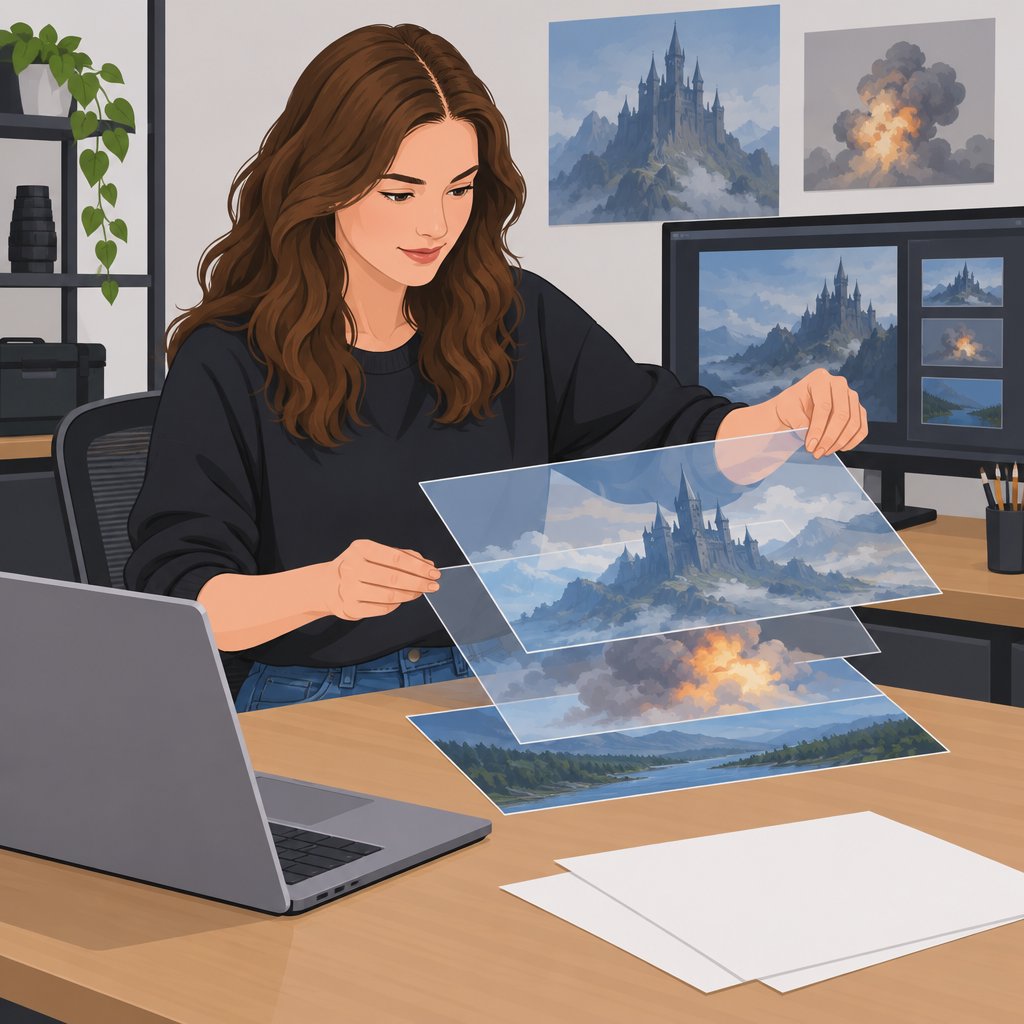
Masks and Mattes for Seamless Element Integration
Artists use masks and mattes to isolate elements within visual effects scenes.
These tools help artists enhance or replace backgrounds, characters, and objects.
Consequently, careful masking allows separate elements to interact convincingly.
Artists commonly use several mask types for different compositing needs.
- Roto masks: Artists draw these masks frame by frame for precise control.
- Alpha masks: These masks use an image’s alpha channel to create transparency.
- Shape masks: Vector shapes create clean cuts for patterns or animated elements.
First, choose the mask type that suits the scene and its movement.
Next, animate masks during dynamic sequences to maintain integration throughout movement.
Finally, apply feathering to soften edges and blend elements naturally.
Edge Refinement and Detail Management
Polished visuals depend on careful edge management throughout the composite.
Rough edges can weaken immersion and make visual effects appear unfinished.
Therefore, small adjustments often create significant improvements in the final image.
Use several techniques to refine edges and preserve important details.
- Edge refinement: Apply edge blur or edge feather tools to soften harsh outlines.
- Sub-pixel rendering: Smooth edges at different resolutions without adding unnecessary noise.
- Chroma keying: Select background colors accurately to prevent fringing and ghosting.
In addition, hair and fine fabric may require extra rotoscoping or hair simulation.
Meanwhile, shadows can connect elements to the background and add depth.
Matching textures also strengthens realism across the composite.
Lighting and Color Consistency Across the Composite
Consistent lighting helps separate elements appear within the same environment.
When light or color differs, the composite can lose its believable appearance.
For that reason, artists should align lighting and color throughout every layer.
Apply the following practices to create consistent lighting and color.
- Match light direction: Keep light sources consistent across all elements.
- Adjust color grading: Use color correction to establish a uniform visual tone.
- Use light wrapping: Simulate environmental light interaction around element edges.
Additionally, choose a base palette and keep every element within its spectrum.
Match contrast ranges so the components remain visually connected.
Finally, reflect environmental colors on objects to create depth and realism.
Transform Your Career Today
Unlock a personalized career strategy that drives real results. Get tailored advice and a roadmap designed just for you.
Start NowAdditional Effects for Stronger Visual Integration
Beyond masks, edges, lighting, and color, additional effects can improve integration.
These effects help artists reproduce lens characteristics and environmental conditions.
Moreover, thoughtful experimentation can reveal effective combinations for each project.
Consider the following effects when refining a composite.
- Depth of field: Apply focus changes to simulate lens characteristics.
- Motion blur: Add blur to moving objects to strengthen the sense of speed.
- Atmospheric effects: Add fog, haze, or rain to unify the layers.
Experiment with different combinations of masks, lighting, and effects.
Each project offers opportunities to refine compositing skills through practice.
Stay curious and explore new visual effects techniques to strengthen future composites.
Find Out More: The Importance of Post-Processing in Photography
Advanced Compositing Techniques
Compositing combines creativity with technical skill.
Artists can combine visual elements to create cohesive and compelling scenes.
Advanced methods can strengthen depth, realism, atmosphere, and visual storytelling.
Integrating 3D Elements Into 2D Composites
Integrating 3D elements into 2D environments adds depth and realism.
First, select software that supports detailed 3D modeling and rendering.
Then, align the 3D elements with the background perspective and lighting.
- Select suitable 3D software: Use Blender, Maya, or Cinema 4D to create compelling 3D models.
- Match the camera angle: Align each model with the perspective of the 2D background.
- Match the lighting: Adjust 3D light sources to reflect the lighting within the 2D scene.
- Render with alpha channels: Preserve transparency for smoother integration into the 2D environment.
- Add shadows: Adjust shadow properties to create more realistic contact and depth.
- Consider scale: Size each 3D element consistently with nearby 2D objects.
These steps help artists integrate three-dimensional objects into two-dimensional compositions.
Creating Depth Of Field And Atmospheric Effects
Depth of field creates a more immersive experience within a composite.
It can guide attention by emphasizing one element over surrounding details.
Artists can combine focus changes with color adjustments to strengthen atmosphere.
- Identify the focal point: Decide which element should receive the viewer’s attention.
- Create a depth map: Use grayscale gradients to represent distance within the scene.
- Apply distance-based blur: Use Gaussian Blur to create different focus levels.
- Combine color grading: Pair focus changes with color adjustments to improve atmospheric consistency.
- Experiment with bokeh: Add controlled bokeh effects for a more cinematic appearance.
- Organize layers: Separate visual elements to control depth more precisely.
These techniques can transform a flat composition into a more dimensional visual space.
Experimenting With Compositing Methods
Experimentation can reveal unexpected approaches and distinctive visual results.
Artists can combine familiar tools in new ways to develop memorable compositions.
Careful testing also helps artists discover techniques that support each scene’s visual direction.
- Use layer blending modes: Apply Multiply or Screen to build distinctive textures.
- Explore masking techniques: Combine multiple masks to create intricate effects.
- Match colors: Apply color grading to maintain consistency across visual elements.
- Apply filters: Enhance visual interest or create a stylized appearance.
- Track and stabilize footage: Keep elements accurately positioned during movement.
- Adjust dynamic lighting: Change lighting conditions during post-processing to create shifts in mood.
These methods can produce unique effects and more engaging compositions.
Developing Stronger Visual Narratives
Compositing gives artists control over how visual elements interact within a scene.
By combining 3D integration, depth control, and experimentation, artists can expand their creative options.
Consistent practice helps artists refine their technical decisions and visual judgment.
Stay curious, test different approaches, and continue exploring new ways to shape visual narratives.
Troubleshooting Common Compositing Issues
Compositing combines elements from different sources into one cohesive final image.
Even skilled artists encounter challenges during this process.
These issues can disrupt a shot’s visual harmony.
Artists need technical knowledge and creative problem-solving skills to resolve them.
The following techniques address common visual effects compositing problems.
Dealing with Mismatched Lighting or Perspectives
Consistent lighting remains one of the most critical aspects of compositing.
Mismatched lighting creates an unnatural appearance and may unsettle viewers.
First, analyze the background plate’s light sources, direction, and intensity.
- Analyze the Light Sources: Identify the background plate’s light direction and intensity.
- Match the Shadows: Align added elements’ shadows with the background’s angles and softness.
- Color Temperature: Adjust warmth or coolness to harmonize the scene’s elements.
- Illuminate with Light Wrap: Blend foreground edges with background light using light wrap techniques.
- Use Color Grading: Match the overall tone and mood through targeted color adjustments.
Furthermore, observe how every element interacts with the surrounding light.
Inconsistent lighting can seriously weaken a composite’s believability.
Fixing Edge Artifacts and Green Screen Spill
Poor keying and digital noise often produce distracting edge artifacts.
Green screen spill appears when the screen reflects green hues onto a subject.
Use the following methods to correct both problems.
Transform Your Career Today
Unlock a personalized career strategy that drives real results. Get tailored advice and a roadmap designed just for you.
Start Now- Selective Color Correction: Adjust green hues to reduce unwanted spill and restore natural colors.
- Edge Feathering: Soften sharp keyed edges to create smoother transitions.
- Roto Brush: Refine difficult edges manually and remove persistent artifacts.
- Blend Modes: Test different modes to improve interaction between layer pixels.
- Denoise Techniques: Reduce noise while preserving important subject details.
Careful edge work creates a more polished composite.
Small details can significantly influence the final result.
Therefore, refine these areas to improve the viewer’s experience.
Addressing Color Inconsistencies and Blending Issues
Color inconsistencies interrupt a scene’s visual flow.
Proper blending helps every element appear within the same final image.
Artists can resolve these problems through color theory and practical adjustments.
- Color Matching: Adjust hue and saturation to align foreground and background colors.
- Use Reference Images: Compare similar scenes or palettes when guiding color adjustments.
- Gradient Maps: Create transitional colors that unify separate color ranges.
- Adjust Levels and Curves: Improve contrast and brightness to strengthen depth.
- Experiment with Texture Overlays: Add subtle textures to encourage further integration.
Additionally, color grading provides important finishing adjustments.
Effective grading can add life and emotional meaning to a project.
Proper color choices can support storytelling and improve the viewer’s experience.
Troubleshooting compositing issues requires both scientific understanding and artistic judgment.
Address lighting, edge artifacts, and color inconsistencies to strengthen the final image.
Always inspect small details because they can determine whether a scene feels believable.
Consistent techniques and careful observation help artists create stronger visual effects.
Embrace each challenge and continue refining compositing skills.
Continuing Growth in Compositing
Compositing remains essential for visual effects because it unites visual components into cohesive scenes.
This process strengthens storytelling by helping filmmakers present imaginative worlds and situations.
Without effective compositing, even striking visuals can lose their intended impact.
Meanwhile, consistent practice sharpens compositing skills and develops a stronger eye for detail.
Experiment with layer blending, color adjustments, and lighting changes across different projects.
Each attempt can refine creative judgment and expand visual storytelling abilities.
Additionally, aspiring compositors can explore online tutorials, courses, and books about visual effects.
These resources offer structured learning, deeper knowledge, and insights from experienced industry professionals.
Communities and forums also let creatives exchange ideas and request feedback.
Finally, each compositing project introduces challenges that can strengthen technical and creative abilities.
Therefore, continued exploration can expand possibilities within the visual effects industry.
With suitable tools and knowledge, compositors can develop more compelling visual narratives.
Additional Resources
Google search results for The Art of Compositing in Visual Effects Media and Communication
Bing search results for The Art of Compositing in Visual Effects Media and Communication


