




Technology and Preparation for Live Performances
In recent years, technology has transformed live performances.
Creators now rely on sophisticated equipment to enhance their shows.
Sound systems and streaming software play critical roles in modern performances.
However, this dependence also introduces potential challenges.
Technical issues can arise unexpectedly during any live event.
These problems can disrupt the show and affect audience engagement.
Therefore, performers need preparation and calm responses when difficulties occur.
This guidance provides practical tips for managing technical problems during live shows.
These strategies help performers maintain professionalism and audience engagement.
Equipment Checks Before the Show
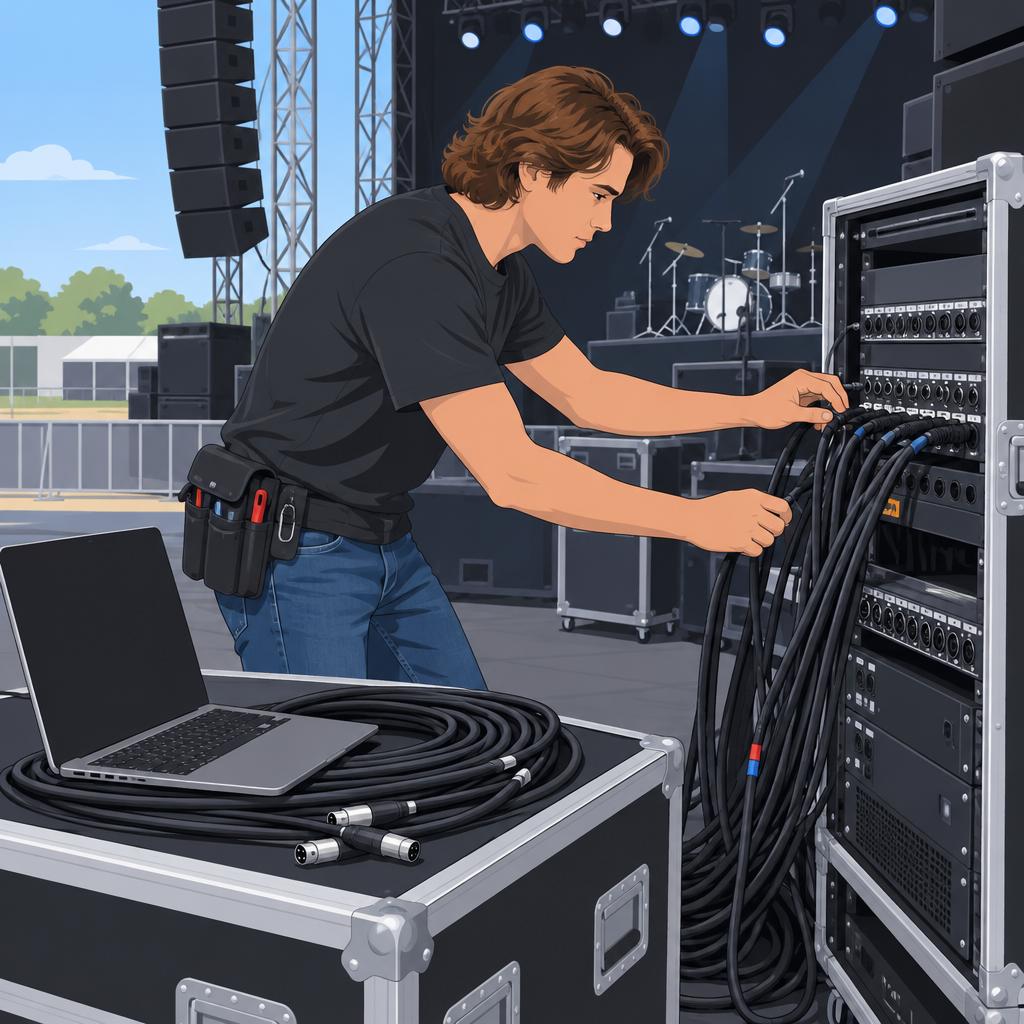
Before the show, conduct a thorough equipment check.
Ensure that microphones, sound systems, and visual displays function properly.
Create a checklist to verify every device.
Additionally, test backup equipment before the performance begins.
Keep spare cables and batteries available for immediate use.
Contingency Planning for Technical Failures
Create a contingency plan for potential technology failures.
Define team roles for managing different technical issues.
Assign specific troubleshooting responsibilities to each team member.
Then, ensure everyone understands their role in the response plan.
Calm Responses During Technical Problems
When an issue arises, remain composed.
Your audience will take cues from your reaction.
Take a deep breath and address the problem directly.
Meanwhile, engage the audience during any delay.
Use humor or anecdotes to keep people entertained.
Clear Communication with the Audience
If a significant issue affects the show, inform the audience promptly.
Explain that you recognize the situation and are addressing it.
Furthermore, transparent communication builds trust with your audience.
It also demonstrates that you value their experience.
Practice with Show Technology
Familiarize yourself with the technology you will use.
Learn basic troubleshooting steps for common technical problems.
Practicing these scenarios helps you respond quickly under pressure.
Post-Show Evaluation and Improvement
After the show, evaluate the technical problems you encountered.
Discuss your response plan’s effectiveness with the team.
Learning from each experience supports continuous improvement.
Finally, use feedback to improve preparation for future shows.
Understanding Common Technical Issues
Live shows can create exciting experiences for audiences.
They combine technology, talent, and real-time audience interaction.
However, technical problems can interrupt performances and reduce viewer satisfaction.
Common Technical Problems
Several technical problems can disrupt a live show’s flow.
Performers and production teams must recognize these problems quickly.
Therefore, awareness helps teams respond effectively during live events.
Transform Your Career Today
Unlock a personalized career strategy that drives real results. Get tailored advice and a roadmap designed just for you.
Start Now- Audio Issues: Muffled sound, inconsistent volume, or complete audio loss can affect the audience experience.
- Video Lag: Video may freeze, become pixelated, or fall behind the audio.
- Equipment Failures: Malfunctioning cameras, microphones, or playback devices can delay the show.
- Connectivity Problems: Network instability can cause buffering, dropouts, or complete stream interruptions.
- Lighting Issues: Poor or inconsistent lighting can reduce visibility and distract viewers.
Case Studies of Notable Live Shows
Past live shows provide useful examples of technical challenges.
These events demonstrate how quickly technical problems can affect audience engagement.
Furthermore, reviewing such examples can improve preparedness for future broadcasts.
- Mr. Beast’s Live Stream: Audio feedback affected a charity stream and frustrated viewers.
- The Super Bowl Halftime Show: Significant video lag diminished the excitement of the live audience.
- A Grammy Award Ceremony: A sudden power outage interrupted a performance and confused both audiences.
Impact of Technical Issues
Technical issues can weaken a live show’s performance quality.
They can also damage the viewer experience and disrupt performer concentration.
In addition, repeated problems may create financial and reputational consequences.
- Viewer Engagement Drops: Audiences may lose interest when they cannot hear or see properly.
- Professional Image Affected: Frequent problems can harm performers’ or production teams’ reputations.
- Distracting Performers: Technical glitches can interrupt concentration and contribute to weaker performances.
- Financial Repercussions: Lost audiences can reduce revenue and discourage advertisers from joining broadcasts.
Understanding these problems helps performers and production teams manage live events more effectively.
Moreover, anticipating disruptions allows teams to resolve issues swiftly.
Consequently, effective responses can improve the overall quality of a live show.
Pre-Show Preparation
Thorough preparation can make or break a live show.
Organizing equipment checks and detailed plans supports smooth execution.
Each component should perform flawlessly to prevent disruptions.
Importance of Thorough Equipment Checks
Before any live show, conduct comprehensive equipment checks to identify potential issues early.
This process prevents last-minute complications and supports a dependable setup.
As a result, hosts and audiences can approach the show with greater confidence.
These checks also protect valuable preparation time and confirm compatibility.
- Mitigating Risks: Identify and fix issues beforehand to reduce technical failures.
- Boosting Confidence: A reliable setup strengthens team trust and improves the viewer experience.
- Saving Time: Address problems before the show to preserve time for critical tasks.
- Ensuring Compatibility: Verify that all devices and software work together properly.
Creating a Checklist of Essentials
Create a checklist of essentials to guide effective equipment checks.
This checklist helps the team avoid overlooking important details.
Additionally, it creates a consistent process for reviewing every component.
- Microphones: Ensure every microphone works and sits correctly for clear sound.
- Cameras: Check camera focus and framing for optimal viewing.
- Lighting Equipment: Assess lighting conditions for suitable visibility and mood.
- Software Setup: Verify that software runs smoothly and streaming services function properly.
- Network Equipment: Confirm stable internet connections that can support the broadcast.
- Backup Equipment: Keep backup microphones and cameras available for emergencies.
Tips for Testing Technical Components
Test every technical component thoroughly before the show begins.
Real-time simulations can reveal problems before the audience sees them.
Furthermore, collaborative testing helps the team identify overlooked details.
- Conduct a Full Run-Through: Rehearse the complete show to reveal potential problems.
- Involve the Team: Include every team member so individual insights improve testing.
- Focus on Audio and Visual Quality: Test sound and video rigorously, then make necessary adjustments.
- Check for Latency: Identify and resolve audio or video delays before broadcasting.
- Utilize Monitoring Tools: Track performance during tests to anticipate broadcast issues.
- Simulate Viewer Conditions: Test the setup under conditions similar to those viewers experience.
After completing these checks, approach the live show with greater confidence.
A well-prepared team can respond effectively to unexpected technical issues.
With suitable preparation and testing, the audience can enjoy a seamless experience.
Learn More: Essential Skills for a Successful VFX Artist
Dedicated Technical Support for Live Shows
Every live show relies heavily on technology.
Technical issues can disrupt an event’s flow.
Therefore, a dedicated technical support team remains essential.
This team helps maintain smooth operations throughout the event.
Each member can reduce the risk of technical failures.
Responsibilities of a Dedicated Technical Team
A technical support team provides immediate assistance during live shows.
Its primary goal involves maintaining broadcast or performance quality.
Meanwhile, members address issues before they escalate.
They support continuity from behind the scenes.
- Monitoring Equipment: Team members continuously check cameras, microphones, and mixing boards.
- Troubleshooting: They identify and resolve issues quickly to minimize disruptions.
- Operating Software: The team manages streaming and audio-visual software throughout the show.
- Testing Equipment: Members test technical gear to identify potential issues early.
- Recording and Streaming: They manage recording and streaming procedures for seamless delivery.
Defined Roles Within the Technical Support Team
Every team member needs clearly defined responsibilities.
Assigning specific duties improves efficiency during the live show.
Consequently, each specialist can focus on essential technical tasks.
- Technical Director: This individual oversees the entire technical operation.
- Audio Engineer: This specialist manages sound levels and clarity throughout the event.
- Video Technician: This person manages camera setups and video feeds.
- IT Specialist: This specialist handles software, networking, connectivity, and performance issues.
- Stage Manager: This individual communicates with performers and provides schedule cues.
Communication Between Performers and Technical Staff
Effective communication helps live shows succeed.
Technical staff and performers need to work in sync.
Transform Your Career Today
Unlock a personalized career strategy that drives real results. Get tailored advice and a roadmap designed just for you.
Start NowClear communication prevents misunderstandings and supports seamless collaboration.
Furthermore, strong coordination helps both groups respond effectively.
- Immediate Feedback: Performers can report issues as they arise.
- Understanding Requirements: Performers can explain their needs to the technical team.
- Holding Briefings: Regular meetings keep everyone informed about concerns and solutions.
- Emergency Protocols: Established communication supports rapid recovery during technical failures.
- Maintaining Energy: Teamwork creates a better atmosphere for performers and audiences.
Effective Management of Technical Support Teams
Well-coordinated technical teams support reliable live shows.
Careful management helps staff respond effectively during events.
Additionally, clear systems help team members work with confidence.
These practices strengthen coordination across technical responsibilities.
- Pre-Show Training: Training sessions develop equipment handling and troubleshooting skills.
- Establish Protocols: Step-by-step guides clarify responses to common problems.
- Utilize Checklists: Checklists help verify equipment readiness and function.
- Practice Sessions: Rehearsals help everyone become comfortable with equipment and processes.
- Post-Show Reviews: Review sessions identify successful practices and future improvements.
Building Reliable Live Show Operations
A dedicated technical support team strengthens every live show’s operations.
Clearly assigned responsibilities help each member contribute effectively.
Open communication also supports performers, staff, and audiences.
Therefore, planning and training help create a seamless event experience.
Uncover the Details: Using Social Media to Promote Your Content Effectively
Training and Preparation for Performers
Technical problems can interrupt live performances and frustrate audiences.
Therefore, performers need practical training before facing unexpected challenges.
Preparation helps performers respond confidently while maintaining the show’s momentum.
Developing Basic Troubleshooting Skills
Performers benefit from learning how common equipment problems affect their work.
This knowledge helps them recognize problems quickly during live performances.
Additionally, realistic practice sessions help performers develop reliable responses.
- Understanding equipment: Performers should learn the basic functions of microphones, lighting, and technical gear.
- Recognizing problems: Training should cover audio distortion, lighting failures, and similar disruptions.
- Applying quick fixes: Performers can adjust microphone positions or reset devices when appropriate.
- Communicating clearly: Performers should explain problems directly to technicians during disruptions.
Maintaining Composure During Technical Disruptions
Technical difficulties can create stress, but performers should remain calm and focused.
A composed performer reassures the audience and supports the technical team.
Moreover, calm behavior can prevent minor problems from becoming larger distractions.
- Setting a positive example: Calm performers inspire confidence throughout the venue.
- Preventing escalation: Composure keeps unexpected problems from dominating the performance.
- Supporting engagement: An unfazed performer can keep the audience interested during interruptions.
- Strengthening teamwork: Calm communication helps technicians identify suitable solutions promptly.
Breathing exercises can help performers manage stress before and during shows.
Mindfulness practice can also improve concentration when unexpected problems arise.
These habits help performers respond deliberately instead of reacting impulsively.
Keeping the Audience Engaged During Interruptions
Audience engagement remains important when technical problems interrupt a performance.
Performers can acknowledge the situation while continuing to create a welcoming atmosphere.
Furthermore, simple interactions can preserve the show’s energy during delays.
- Using humor: Light-hearted comments can reduce tension among audience members.
- Sharing stories: A brief anecdote can hold attention during a disruption.
- Inviting participation: Performers can encourage singing or other enjoyable activities.
- Providing updates: Clear explanations can reassure the audience during technical difficulties.
- Performing acoustically: An unplugged segment can maintain the show’s flow.
Turning Unexpected Problems into Stronger Performances
Training prepares performers to manage technical problems without losing focus.
Calm responses and audience interaction can preserve the quality of a show.
Ultimately, preparedness helps performers transform disruptions into meaningful audience connections.
Learn More: The Impact of Social Media on Radio Hosting
Backup Plans for Live Show Technology
Live shows can create thrilling experiences, but technical failures can disrupt their momentum.
A clear contingency plan helps teams respond quickly when essential equipment stops working.
Therefore, performers can focus on delivery while support staff manage unexpected problems.
- Keep spare microphones, laptops, and cables available for immediate replacement.
- Prepare a recorded segment if streaming problems interrupt the live format.
- Test equipment regularly to identify possible failure points before the event.
- Assign one team member to manage technical problems during the performance.
- Use redundant systems, such as backup internet connections or power sources.
Backup Communication During Technical Failures
Communication becomes especially important when technical failures affect normal production systems.
Quick updates help every team member understand the problem and follow the agreed response.
Meanwhile, alternative communication methods keep the production coordinated when primary devices fail.
- Use reliable walkie-talkies for immediate communication between team members.
- Create group chats for fast updates and shared instructions.
- Install intercom systems that support instant voice communication.
- Use cloud-based tools to share documents and update resources together.
- Hold pre-event briefings so everyone understands the communication process.
Contingency Strategies from Live Performances
Past live performances demonstrate how preparation can protect an event from technical interruptions.
Production teams often prepare replacements, alternate formats, and additional communication channels.
As a result, audiences may remain engaged while staff resolve problems behind the scenes.
- Large concerts may keep spare microphones, amplifiers, and other equipment onsite.
- Television awards shows may prepare alternate cameras and crews for immediate use.
- Theatrical productions may keep understudies ready when technical problems affect a lead actor.
- Webinars may use prerecorded videos when live streaming encounters problems.
- Political debates may maintain multiple communication lines for uninterrupted coordination.
Maintaining Continuity During Technical Disruptions
Contingency planning gives live show teams practical options when technology fails.
Transform Your Career Today
Unlock a personalized career strategy that drives real results. Get tailored advice and a roadmap designed just for you.
Start NowBackup equipment, alternate formats, and reliable communication support a faster response.
With these safeguards, performers can maintain focus while technical staff restore normal operations.
Regular planning also helps every team member understand responsibilities during unexpected disruptions.
Ultimately, preparation can turn serious technical challenges into manageable interruptions.
See Related Content: How to Balance Multiple Clients as a Communications Consultant
Technical difficulties can arise during online events or live shows.
Audience connection becomes especially important when unexpected problems interrupt a performance.
Effective communication can reduce frustration and preserve audience interest.
Creative responses can also turn interruptions into memorable moments.
Maintaining Audience Engagement
Engaging the audience during technical issues requires creativity and quick thinking.
Meanwhile, clear updates help audiences understand that the team recognizes the problem.
Interactive activities can keep attention focused while the team resolves the disruption.
- Keep Communication Open: Tell the audience about the issue as soon as it appears.
- Involve the Audience: Ask people to share thoughts or favorite moments from the show.
- Utilize Social Media: Post updates and respond to comments during the delay.
- Plan for Contingencies: Prepare alternate content, trivia, anecdotes, or behind-the-scenes information.
- Encourage Sharing: Invite audience members to share experiences or questions using a specific hashtag.
Using Humor and Improvisation
Humor can ease tension when technical problems interrupt a live show.
Improvisation gives hosts another way to maintain energy during unexpected delays.
A calm, lighthearted attitude can help the audience enjoy the experience despite the interruption.
- Lighten the Mood: Use a well-placed joke to reduce tension surrounding the problem.
- Share Funny Stories: Describe a personal experience involving a similar technical failure.
- Invite Guest Interaction: Ask guests or co-hosts to join the improvisation.
- Use Participation Games: Offer polls, quizzes, or short challenges during the interruption.
- Maintain a Lighthearted Attitude: Project calm energy so the audience can remain positive.
Effective Audience Communication
Open communication helps audiences remain informed during technical difficulties.
Regular updates can prevent uncertainty while the team works toward a solution.
Positive language can reassure viewers without hiding the seriousness of the issue.
- Provide Regular Updates: Explain whether the team has made progress or expects further delays.
- Stay Honest and Positive: Acknowledge the issue while expressing appreciation for audience patience.
- Include Thank-Yous: Thank the audience for remaining patient during the disruption.
- Recap Missed Content: Summarize important moments before returning to the show.
- Share Clear Contact Channels: Explain how audience members can submit questions or comments.
These strategies can transform a potential disaster into a memorable audience experience.
Your response to technical issues can influence audience satisfaction and your reputation as a host.
Adaptability, clear communication, and thoughtful entertainment can turn setbacks into opportunities for connection.
Live shows contain surprises, so graceful responses help define the experience for everyone.
Post-Show Analysis
After each live show, review the event carefully to support continuous improvement.
This review helps teams identify technical issues before they affect future performances.
Furthermore, clear analysis shows which practices worked and which practices require adjustment.
- Identifies Problems: The review reveals audio glitches, lighting failures, and other technical concerns.
- Gathers Valuable Insights: Team members can describe successful practices and areas needing improvement.
- Enhances Future Shows: Recorded findings create a practical foundation for stronger performances.
Reviewing Performance Outcomes
Review the performance soon after the event while details remain clear.
Early evaluation helps the team collect accurate information for future planning.
Moreover, each show presents distinct challenges that can strengthen team adaptability.
- Learning Experience: Teams can use each event’s challenges to improve their responses.
- Documenting Issues: Written records help teams recognize recurring technical problems.
- Boosting Team Communication: Open reviews encourage people to share concerns and solutions.
Gathering Feedback From Participants
Feedback gives the team perspectives that a single review might miss.
Technical staff and performers can describe different parts of the live experience.
A structured process makes feedback more complete, practical, and easier to apply.
- Schedule a Feedback Session: Meet soon after the event while specific details remain fresh.
- Involve Key Personnel: Include technical staff, performers, and other essential participants.
- Use Surveys: Brief surveys allow participants to share independent views about the event.
- Encourage Open Dialogue: Create a supportive setting where people can express concerns freely.
Questions That Guide the Review
Focused questions help the team examine specific parts of the performance.
They also keep discussions practical and connected to future improvements.
Ask participants to describe problems, comfort levels, audience reactions, and possible solutions.
- Technical Challenges: Which technical issues appeared, and did any unexpected failures occur?
- Performance Comfort: Did performers find the equipment reliable and efficient?
- Audience Engagement: How did the audience respond to the technology or performance?
- Recommendations: Which solutions could prevent similar challenges during future shows?
Documenting Feedback and Action Items
Record every useful comment so the team can revisit it during future planning.
A dedicated feedback log can capture issues, suggestions, and assigned action items.
Regular reviews of this log help the team address recurring concerns proactively.
Recommendations for Future Improvements
Use the review findings to create clear recommendations for upcoming shows.
Specific actions can reduce the likelihood of repeated technical problems.
In addition, measurable responsibilities help the team turn recommendations into consistent practices.
Transform Your Career Today
Unlock a personalized career strategy that drives real results. Get tailored advice and a roadmap designed just for you.
Start Now- Improve Technical Training: Provide training that helps the technical team manage equipment effectively.
- Upgrade Equipment: Assess technology needs regularly and replace unsuitable equipment when necessary.
- Conduct Rehearsals: Schedule full technical rehearsals to test equipment before each show.
- Establish a Backup Plan: Prepare responses for major technical failures during performances.
Regular Review of Procedures
Regular procedure reviews prepare the team for unexpected situations during live shows.
Set review schedules for technical protocols, equipment practices, and team responsibilities.
Updating procedures after each issue creates a more resilient operation.
Continuous Team Communication
Keep communication active after the show to support ongoing process improvements.
Regular team check-ins give members space to discuss concerns and suggestions.
A shared communication platform can keep everyone informed and engaged.
Building Better Future Shows
Post-show analysis strengthens the team and improves the quality of future performances.
Systematic reviews, useful feedback, and targeted improvements create a strong foundation for success.
These practices improve technical performance while also supporting team morale.
A united team can learn from every performance, adapt quickly, and pursue stronger results.
Building Resilience During Live Show Disruptions
Technical issues can arise unexpectedly during live shows, so performers must prepare for disruptions.
Audiences expect seamless execution, and interruptions can affect their experience.
Therefore, contingency planning remains vital before every performance.
Regular equipment checks confirm that essential systems function as intended.
Meanwhile, backup options can protect the performance from potential failures.
Rehearsing responses to common glitches helps performers remain poised under pressure.
Adaptability helps performers overcome unexpected obstacles during a live show.
When an issue appears, staying calm supports clearer decisions and steadier delivery.
Moreover, a performer’s reaction shapes the audience’s perception of the situation.
A simple acknowledgment can demonstrate professionalism and maintain audience trust.
Engaging the audience during a disruption can redirect attention from the technical problem.
Each challenge also offers an opportunity to strengthen problem-solving skills.
Afterward, performers can review the experience and refine their response for future shows.
Together, preparation, communication, adaptability, and resilience help performers preserve memorable audience experiences.
Additional Resources
Bing search results for Tips for Handling Technical Issues During Live Shows Media and Communication


