




Introduction
Sound design for live events creates and manages audio elements that enhance the audience experience.
It shapes audience perceptions, influences emotions, and strengthens engagement throughout the event.
Effective sound design reinforces storytelling and amplifies important messages.
High-quality audio captivates audiences and makes each moment memorable.
However, poor sound quality can weaken performances and leave attendees dissatisfied.
Therefore, sound design plays a critical role in every live event’s success.
This article explores strategies for achieving effective sound design during live events.
It examines venue acoustics, equipment selection, and pre-event planning.
Each strategy supports immersive auditory experiences that resonate with attendees.
Understanding Venue Acoustics
Every venue has unique acoustical properties that affect sound performance.
Understanding these properties helps sound designers tailor their approaches effectively.
Analyze the space to identify sound reflections and potential dead spots.
This analysis supports even sound distribution throughout the venue.
Selecting the Right Equipment
Choosing appropriate sound equipment remains vital for delivering quality audio.
Invest in high-quality microphones, speakers, and mixers for reliable performance.
Additionally, match the equipment to the venue size and event type.
Test every component before the event to prevent technical issues during performances.
Effective Pre-Event Planning
Pre-event planning streamlines the sound design process.
Schedule thorough rehearsals to identify potential audio challenges before performances begin.
Meanwhile, communicate clearly with performers about their sound requirements.
This collaboration supports a seamless audio experience during the event.
Monitoring and Adjustment
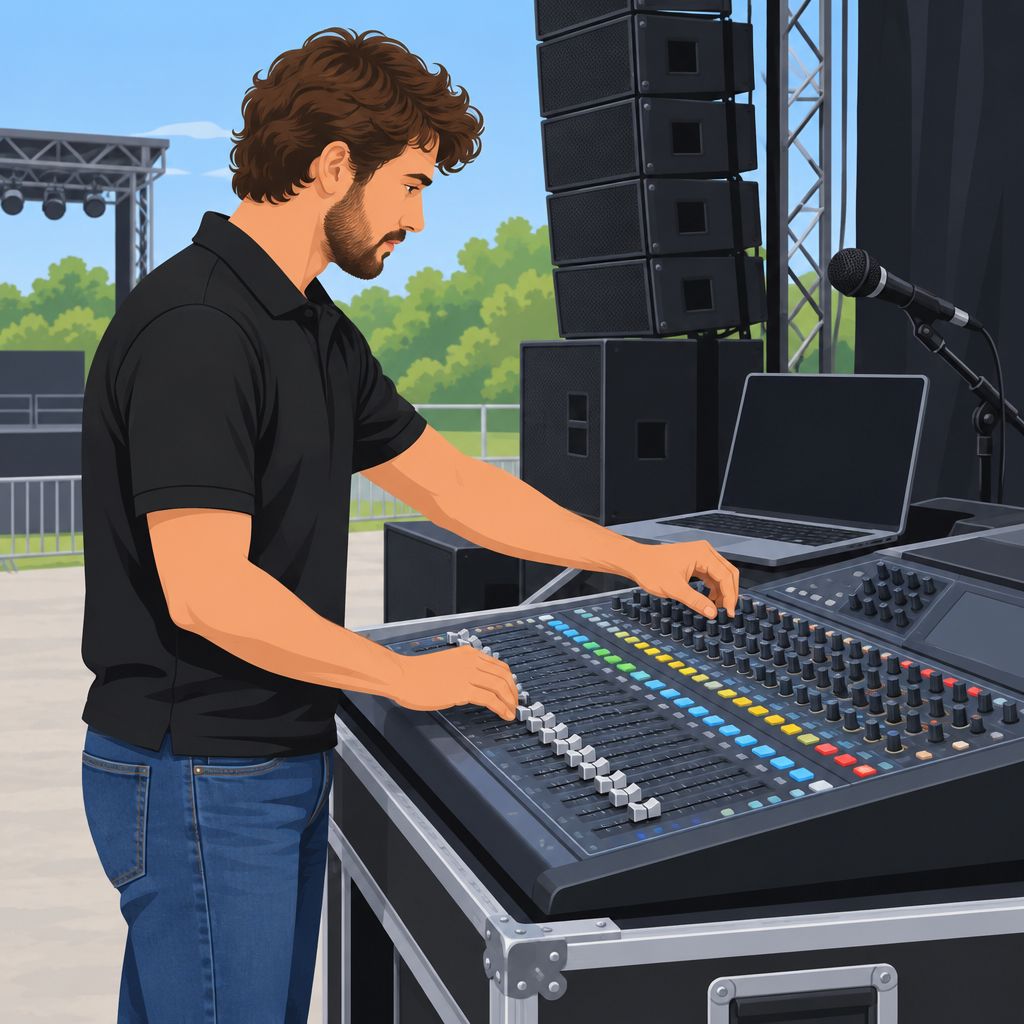
During the event, actively monitor sound levels and adjust them when necessary.
Sound engineers can manage live audio feeds and respond to changing conditions.
Responsive adjustments can significantly improve audio quality and audience satisfaction.
By staying attentive, the team can create a memorable auditory experience for everyone.
Understanding the Venue
Venue knowledge guides effective sound design for live events.
Therefore, assess each location carefully before choosing equipment or adjusting audio.
This preparation helps designers address acoustics, noise, coverage, and accessibility requirements.
Conducting a Site Visit to Assess Acoustics
A site visit reveals how the venue shapes sound.
During this visit, listen throughout the space and inspect its physical features.
Also, test available equipment whenever possible to guide venue-specific decisions.
- Listen to the Space: Walk around the venue and notice how sound travels, echoes, or reverberates.
- Evaluate Surface Materials: Inspect walls, ceilings, and floors because hard and soft surfaces affect sound differently.
- Assess the Shape of the Venue: Examine the layout because irregular shapes can create unpredictable sound behavior.
- Check Ambient Noise Sources: Identify traffic, air conditioning, and mechanical equipment that could interfere with clarity.
- Test with Equipment: Bring a portable sound system when possible and evaluate its performance onsite.
Identifying Potential Sound Challenges
Early assessment also exposes problems that can reduce clarity during an event.
Consequently, identify feedback, weak coverage, reverberation, bass issues, and sound leakage.
Addressing these challenges early supports more controlled audio throughout the venue.
- Feedback Loops: Position microphones and speakers carefully to reduce sound returning into the microphones.
- Dead Spots: Locate weak areas during the site visit and consider additional speakers for stronger coverage.
- Reverberation Issues: Add acoustic panels or drapes when hard surfaces create excessive echo.
- Low Frequencies: Test bass response and adjust speaker placement to manage low-frequency problems.
- Sound Isolation: Close doors and windows, then consider soundproof materials to limit sound leakage.
Making Venue-Specific Sound Adjustments
After assessment, adapt the system to the venue’s specific conditions.
Use speaker placement, microphone choices, monitoring, and equalization to support clear audio.
Additionally, provide assistive listening options when accessibility requirements apply.
- Speaker Placement: Position speakers at ear level and aim them toward the audience.
- Microphone Selection: Choose microphones that suit the venue, especially directional models for noisy environments.
- Monitoring Systems: Use monitor speakers so performers can hear themselves and adjust during performances.
- Equalization Settings: Customize venue-specific frequencies to reduce feedback and improve clarity.
- Assistive Listening Devices: Include suitable options when the venue has accessibility requirements.
Thorough preparation connects venue knowledge with practical sound decisions.
Designers can then create a tailored audio solution for performers and audiences.
Equipment Selection
Choosing suitable equipment supports successful sound design for live events.
Transform Your Career Today
Unlock a personalized career strategy that drives real results. Get tailored advice and a roadmap designed just for you.
Start NowAudio quality affects how clearly audiences hear speakers, performers, and musical details.
Therefore, evaluate equipment features, technical specifications, and system compatibility before each event.
Microphones
Microphones capture sound, so their characteristics directly influence audio quality.
Different microphone types suit different performance and communication needs.
First, identify the sound source and required movement before choosing a microphone.
- Type of Mic: Select dynamic, condenser, or lavalier microphones according to the event’s needs.
- Directional Preference: Choose cardioid microphones for focused pickup and omnidirectional microphones for ambient sound.
- Wired vs. Wireless: Use wired microphones for reliability and wireless microphones for mobility.
- Frequency Response: Confirm that each microphone covers the desired frequency range for its audio source.
These characteristics help you tailor microphone choices to the event.
For speaking events, consider handheld or lavalier microphones.
For musical performances, match dynamic or condenser microphones to the instruments involved.
Speakers
Speakers broadcast sound to the audience and form the system’s main output.
Choose speaker capabilities according to audience size, venue layout, and event requirements.
Additionally, prioritize clear and balanced reproduction across the required frequency range.
- Power Ratings: Match speaker power with the venue’s size and audience requirements.
- Type of Speaker: Use line array systems for large crowds and smaller speakers for intimate settings.
- Frequency Range: Choose speakers that adequately cover the audio spectrum.
- Portability: Select lightweight models when frequent transport supports the event schedule.
Large outdoor venues generally require more powerful speakers than small indoor settings.
Meanwhile, portable models simplify transport between multiple events.
Careful selection helps speakers deliver an engaging listening experience.
Mixers
Mixers control audio signals and balance sound levels during an event.
The appropriate mixer supports smooth transitions and timely adjustments.
Before purchasing, compare channel capacity, controls, effects, and operating requirements.
- Channel Count: Select a mixer with enough channels for every audio source.
- Analog vs. Digital: Digital mixers provide advanced features, while analog mixers usually offer simpler operation.
- Built-in Effects: Consider built-in effects for convenient live performance processing.
- User Interface: Choose an intuitive interface for quick adjustments during live settings.
For larger productions, a digital mixer can provide remote control capabilities.
This feature allows engineers to adjust sound from the audience area.
As a result, engineers can refine levels while listening from the audience position.
Technical Specifications
Technical specifications describe how audio devices perform under operating conditions.
Understanding these measurements helps you compare equipment more effectively.
It also reduces the risk of compatibility problems during setup.
- Input Sensitivity: This measurement shows how strong a signal must be for efficient operation.
- Dynamic Range: A wider range supports reproduction from quiet sounds to loud sounds.
- THD+N: Lower total harmonic distortion and noise values indicate higher fidelity.
- Signal-to-Noise Ratio: A higher ratio indicates cleaner sound with less background noise.
Review these specifications before connecting microphones, mixers, and speakers.
Furthermore, confirm that each device supports the intended signal levels.
This preparation minimizes unexpected problems before or during an event.
Equipment Compatibility
Compatible equipment allows an audio system to operate as one coordinated setup.
Check every connection before transporting the system to the event.
Then, test the complete setup before performers and audiences arrive.
- Check Connectivity: Confirm compatible connectors and cables, including XLR, TRS, or USB connections.
- Match Impedance: Ensure input and output impedance work together without unnecessary signal loss.
- Software Compatibility: Verify that mixing software supports the connected digital hardware.
- Test Equipment Together: Assemble and test the equipment before the event begins.
A complete test run helps engineers identify and resolve issues early.
Consequently, performers and audiences receive a smoother audio experience.
Thorough preparation supports reliable operation throughout the live event.
Integrated Equipment Planning
Effective equipment selection combines microphone, speaker, and mixer requirements.
Technical knowledge also helps engineers create a seamless audio system.
Ultimately, careful planning helps audiences experience clear and engaging sound.
Delve into the Subject: Strategies for Repositioning an Established Brand
Sound Checks and Rehearsals
A successful live event depends on carefully managed sound.
Therefore, schedule enough time for sound checks and rehearsals.
This preparation helps the team refine every important audio detail.
Scheduling Adequate Rehearsal Time
Effective sound checks require a clear schedule and sufficient preparation time.
Transform Your Career Today
Unlock a personalized career strategy that drives real results. Get tailored advice and a roadmap designed just for you.
Start NowAdditionally, every relevant team member should attend the scheduled checks.
Buffer time also helps the team manage unexpected technical problems.
- Set a Pre-Event Timeline: Schedule sound checks several hours or one day before the event.
- Include Crew Availability: Involve the audio engineer, performers, and technical staff.
- Reserve Buffer Time: Allow time for equipment failures and final adjustments.
- Coordinate Performers’ Schedules: Confirm that performers can arrive early and provide useful feedback.
Testing Equipment and Setting Levels
After scheduling the checks, test every part of the audio system.
Begin with reliable connections, individual signal tests, and moderate initial levels.
Then, balance the mix while reducing feedback and avoiding distortion.
- Connect All Equipment: Check microphones, speakers, mixing consoles, cables, and connections.
- Conduct a Line Check: Test every microphone and instrument individually.
- Set Initial Levels: Start with a flat EQ and moderate volume levels.
- Monitor Feedback: Identify feedback hotspots and adjust the system accordingly.
- Optimize Mix Balance: Keep vocals clear while preventing instruments from overpowering them.
Fine-Tuning the Sound Design
Fine-tuning improves clarity, presence, and the overall auditory experience.
Moreover, venue acoustics and ambient noise can affect every adjustment.
Performers can also identify changes that technicians may not immediately notice.
- Use Equalization: Adjust frequencies to improve clarity and presence.
- Check Ambient Noise: Account for venue acoustics and surrounding noise.
- Adjust Delays and Reverb: Create effects that support a natural sound.
- Gather Performer Feedback: Use performer comments to guide further adjustments.
- Test Audience Responsiveness: Use preliminary audience feedback when possible.
Maintaining Sound Quality Throughout the Event
Sound checks should support continuous monitoring during the entire event.
A dedicated engineer can respond quickly when audio conditions change.
Meanwhile, documented adjustments can improve future sound preparation.
- Make Real-Time Adjustments: Assign an engineer to monitor and adjust the mix.
- Monitor Wireless Systems: Check wireless microphone batteries regularly.
- Collect Audience Input: Ask staff to identify issues that technicians might miss.
- Document Changes: Record adjustments for future sound design planning.
Reliable Audio Through Careful Preparation
Reliable live audio requires scheduling, testing, rehearsal, and careful adjustment.
Furthermore, ongoing monitoring helps the team respond to unforeseen changes.
These practices help maintain clear and consistent sound from beginning to end.
Find Out More: Creating a Unified Voice Across All Internal Channels
Communication with Performers
Effective communication helps sound engineers and performers coordinate the audio experience during live events.
Open dialogue keeps everyone informed and supports smoother event execution.
Strong collaboration also helps the team deliver sound that supports each performer’s artistic goals.
Understanding Performer Sound Preferences
Sound engineers should learn each performer’s preferred sound before the event begins.
Early discussions give performers opportunities to explain their artistic vision and specific audio needs.
Listening carefully allows engineers to shape the audio experience around those preferences.
- Initial Meetings: Meet performers before the event to discuss their sound preferences and artistic vision.
- Listening Sessions: Hold listening sessions so performers can demonstrate their desired sound and requirements.
- Feedback Loop: Gather feedback during rehearsals so engineers can make adjustments before the performance.
- Technical Rider Review: Review each technical rider for microphone, monitor, and equipment preferences.
Guiding Microphone Positioning and Levels
Clear guidance about microphone placement can prevent avoidable problems during live performances.
Performers need to understand how microphone distance affects sound quality.
Engineers should also explain how proper gain settings reduce distortion and feedback.
- Mic Positioning: Explain how performers can maintain effective microphone distance and positioning.
- Sound Checks: Complete sound checks with each performer to identify necessary adjustments.
- Level Setting: Discuss appropriate levels and explain why gain settings matter.
- Rehearsal Time: Provide rehearsal time so performers can become comfortable with their equipment.
Establishing Real-Time Communication Channels
Live events require communication channels that support quick feedback and timely adjustments.
Performers and engineers should agree on communication methods before the event starts.
Clear procedures help the team respond calmly when technical issues arise.
- Two-Way Communication Systems: Use intercom systems to connect sound engineers and performers.
- Visual Cues: Create visual signals that performers can use when they need adjustments.
- Dedicated Stage Managers: Assign a stage manager to coordinate on-the-spot communication.
- Emergency Protocols: Establish response procedures so everyone understands their responsibilities during technical problems.
Using Technology to Support Communication
Technology can extend communication and provide useful feedback during live events.
Wireless systems help performers hear themselves and other performers more clearly.
Monitoring tools also help engineers identify sound issues before they become more serious.
- Wireless Communication Devices: Use wireless systems, including in-ear monitors, to support performer coordination.
- Mobile Apps: Use audio applications to share feedback about sound levels and communication needs.
- Remote Mixing Consoles: Use remote consoles when engineers need to adjust sound from elsewhere onsite.
- Real-Time Monitoring Tools: Monitor sound quality continuously so the team can address problems promptly.
Maintaining a Positive Working Atmosphere
A positive atmosphere encourages performers to share concerns and ask questions.
Constructive feedback builds trust between performers, engineers, and other event personnel.
Recognizing contributions can strengthen teamwork during future events.
- Open-Door Policy: Invite performers to discuss concerns and questions whenever necessary.
- Positive Reinforcement: Praise performers when they adapt successfully to sound adjustments.
- Team Building: Build rapport among performers and crew before the event begins.
- Celebrating Wins: Acknowledge everyone’s contributions after successful performances.
Strengthening Live Event Collaboration
Effective communication helps sound engineers accommodate each performer’s unique needs.
Clear microphone guidance and dependable feedback channels support confident performances.
When the team communicates well, the audience receives a more cohesive auditory experience.
Explore Further: Best Certifications for Marketing Managers
Sound design plays a crucial role in live events.
A well-structured sound plan supports clear audio and a memorable audience experience.
Careful planning helps teams organize equipment, cues, troubleshooting, and event improvements.
Transform Your Career Today
Unlock a personalized career strategy that drives real results. Get tailored advice and a roadmap designed just for you.
Start NowDeveloping a Detailed Sound Design Plan
Begin the sound design plan with careful preparation and clear documentation.
Next, match each planning decision to the event’s audio requirements.
Finally, allow enough time for setup, testing, and necessary adjustments.
- Assess the Venue: Evaluate the space, acoustics, size, shape, and materials.
- Determine Required Equipment: List microphones, speakers, mixers, cables, and other necessary audio equipment.
- Create a Setup Diagram: Show speaker locations, microphone positions, and cable routes clearly.
- Plan for Space Constraints: Position equipment without blocking audience views or foot traffic.
- Schedule Time for Setup: Reserve time for installation, testing, and troubleshooting before the event begins.
Identifying Key Sound Cues and Effects
Each event segment can require a distinct approach to audio.
Therefore, identify cues early to create smooth transitions and consistent impact.
Then, test each cue in the venue before the event starts.
- Segment the Event: Divide the event into sections with distinct audio requirements.
- Define Key Cues: Mark background music, transitions, and sound effects for every segment.
- Select Appropriate Effects: Choose effects that support the event’s theme and messaging.
- Integrate Voiceovers: Place voiceovers within the flow and label their cues clearly.
- Conduct Pre-Event Sound Checks: Test cue timing and volume levels inside the venue.
Anticipating Potential Sound Issues
Live events can produce unexpected audio problems during setup or performance.
However, advance preparation can reduce disruptions and support faster responses.
Clear responsibilities also help the team address problems efficiently.
- Identify Common Issues: Review previous events for feedback, microphone failures, and balance problems.
- Prepare Contingency Plans: Keep spare microphones and cables available for identified risks.
- Establish Communication Protocols: Define clear communication lines and assign responsibilities among team members.
- Schedule Rehearsals: Use rehearsals to reveal unexpected problems before the performance.
- Appoint a Sound Engineer: Assign a sound engineer to manage troubleshooting during the event.
Executing the Sound Plan
After planning ends, the team must apply the sound plan during the event.
Early setup creates time for final adjustments and reduces last-minute pressure.
Meanwhile, continuous monitoring helps the team maintain reliable audio throughout the program.
- Set Up Early: Arrive early to install equipment and make final adjustments.
- Conduct a Full System Check: Test connectivity, sound quality, and equipment performance.
- Coordinate Timing: Confirm timing details for transitions between event segments.
- Monitor Throughout the Event: Watch sound levels and quality for changes or emerging issues.
- Document the Process: Record successful decisions and problems that require future attention.
Improving Future Sound Plans
Post-event review provides useful direction for future sound design work.
Gather feedback from performers and attendees to evaluate the sound experience.
Then, use recordings and observations to refine future planning decisions.
- Solicit Feedback: Ask performers and attendees to share their views about the sound experience.
- Review Sound Recordings: Analyze available recordings for audio quality and improvement opportunities.
- Refine Plans for Future Events: Adjust methods using feedback and recorded observations.
- Stay Updated on Equipment: Follow developments in sound technology and equipment.
- Network with Other Professionals: Share knowledge and experiences with other sound designers.
Find Out More: Importance of Analytics for Marketing Managers
Understanding the Audience’s Perspective
Sound design strongly influences how audiences experience live events.
Each sound choice can shape perception, attention, and emotional response.
Therefore, designers should consider audience expectations before developing the event’s audio approach.
- Know Your Audience: Research audience preferences and expectations before choosing sound elements.
- Match the Event: Concerts and corporate presentations require different sound approaches.
- Consider Acoustics: Assess the venue’s sound characteristics before the event begins.
- Gather Feedback: Observe audience responses and use their comments to improve future sound design.
- Support Inclusion: Consider hearing impairments by providing captions or emphasizing important frequencies.
Balancing Volume for Clarity and Impact
Balanced volume helps audiences hear important details without feeling overwhelmed.
Excessive volume can distract listeners, while insufficient volume can weaken the event’s impact.
Use careful control and monitoring to maintain clarity throughout the event.
- Manage Dynamic Range: Apply compression and limiting to control sudden changes in volume.
- Use Equalization: Remove muddiness and target frequencies that improve clarity.
- Check Volume Levels: Monitor different venue areas and adjust levels for audience placement.
- Mix Multiple Channels: Keep vocals prominent while preventing instruments from overpowering them.
Creating Immersive Audience Experiences
Immersive sound can deepen audience engagement and create a memorable atmosphere.
Spatial techniques can make listeners feel surrounded by moving and detailed audio.
Meanwhile, interactive choices can encourage audiences to participate in the sound experience.
- Use Surround Sound: Surround systems can create a three-dimensional listening experience.
- Explore Spatial Audio: Binaural techniques can make sound movement feel more realistic.
- Add Interactive Elements: Apps and installations can involve audiences directly in the audio experience.
- Adapt Through Live Mixing: Engineers can adjust sound elements according to audience energy.
Applying Audience-Centered Sound Design
Effective sound design begins with attention to audience preferences and expectations.
Careful volume control supports both clarity and emotional impact.
Immersive techniques can then strengthen engagement and make the event more memorable.
Sound Design Team Collaboration
Live event sound design depends on collaboration among engineers, technicians, and producers.
Each professional contributes specialized knowledge to the event’s audio environment.
Strong teamwork supports smooth execution and memorable experiences for audiences.
Coordinating Engineers, Technicians, and Producers
Sound engineers manage technical decisions, audio levels, and sound effects.
Audio technicians install equipment, troubleshoot problems, and verify system operation.
Producers coordinate departments and ensure sound supports the event’s creative vision.
- Sound engineers: They balance audio levels and apply effects that support the audience’s experience.
- Audio technicians: They prepare equipment, resolve technical issues, and confirm proper operation.
- Producers: They guide the project and connect sound decisions with the event’s wider goals.
Early planning gives engineers and producers time to clarify objectives.
This discussion establishes priorities for later sound-related decisions.
Technicians can then prepare their work around the team’s agreed direction.
Assigning Roles and Responsibilities
Clear responsibilities reduce confusion and help each team member focus on suitable tasks.
Leaders should match assignments with individual strengths and relevant experience.
They should also identify alternates for essential responsibilities.
Transform Your Career Today
Unlock a personalized career strategy that drives real results. Get tailored advice and a roadmap designed just for you.
Start Now- Identify roles: Match each person’s strengths with responsibilities that suit their expertise.
- Allocate tasks: Divide equipment setup, sound checks, live mixing, and evaluation among team members.
- Prepare backups: Assign alternates for critical duties when team members become unavailable.
Specific assignments streamline the workflow during demanding live events.
Team members can act more confidently when they understand their responsibilities.
Backup assignments also protect the workflow from avoidable disruptions.
Communication and Coordination During Events
Real-time communication helps the team coordinate technical work efficiently.
Regular preparation meetings clarify timelines, expectations, and equipment responsibilities.
During the event, direct communication supports faster decisions when problems arise.
- Hold pre-event meetings: Review schedules, expectations, and equipment checks with the full team.
- Use communication tools: Use walkie-talkies or headsets for immediate coordination during the event.
- Choose a communication lead: Assign one person to organize messages and reduce confusion.
These practices keep team members informed as conditions change.
A cohesive team can address unexpected issues more quickly.
Clear communication also prevents misunderstandings between technical roles.
Building a Positive Team Environment
A supportive environment encourages creativity, productivity, and reliable teamwork.
Open feedback allows team members to raise concerns and suggest improvements.
Recognition helps people feel valued throughout the project.
- Encourage feedback: Invite ideas and concerns through respectful, constructive conversations.
- Celebrate achievements: Recognize completed tasks and successful milestones during and after events.
- Organize team activities: Use shared activities to strengthen relationships beyond immediate work demands.
Stronger relationships help team members cooperate under pressure.
Constructive interaction can improve morale and daily performance.
A positive atmosphere also supports more confident problem-solving.
Continuous Learning and Team Adaptation
Sound design practices continue to change as technology develops.
Teams can remain capable by reviewing their work and learning new approaches.
Cross-training gives members a broader understanding of team responsibilities.
- Attend workshops and conferences: Explore current trends while developing professional connections.
- Analyze past events: Review successes and improvement areas during post-event discussions.
- Encourage cross-training: Let members learn different roles and expand the team’s capabilities.
Debriefing sessions help the team identify practical improvements for future events.
Shared learning prepares members to handle changing demands more effectively.
Adaptable teams can improve experiences for audiences and performers.
Post-Event Evaluation and Feedback
Once the live event ends, the team begins the evaluation process.
A thorough review helps the team assess the sound design.
A focused evaluation reveals successes and opportunities for improvement.
Conducting a Debriefing Session
Begin with a debriefing session that includes key team members.
This meeting helps the team identify successful practices from the event.
Use the following steps to guide an effective debrief.
- Gather all relevant team members: Include audio engineers, sound designers, and production managers.
- Review the event objectives: Confirm that everyone understands the goals established before the event.
- Discuss the sound design: Examine how effectively the sound met the event’s needs.
- Identify successes: Highlight effective practices and explain why they worked.
- Pinpoint issues: Discuss sound-related challenges that affected the event.
- Create actionable items: Record specific opportunities for growth and improvement.
Encourage open communication throughout the debriefing session.
Each participant should share insights without fear of criticism.
This approach can reveal valuable information for future events.
Soliciting Feedback from Event Stakeholders
Feedback supports continuous improvement in sound design.
Different stakeholders provide valuable perspectives on the event’s audio experience.
Collect feedback from performers, audience members, and team members.
- Performers: Ask about sound levels and clarity during their experience.
- Audience members: Gather opinions about their auditory experience.
- Team members: Request input about technical execution and sound performance.
Use several channels to collect feedback from these groups.
Surveys, interviews, and informal discussions can reveal useful insights.
Online survey tools can simplify the collection process.
Keep every question clear and focused on sound quality.
Ask participants to rate the event’s sound quality.
Ask whether any moments featured unclear sound.
Ask whether volume levels remained appropriate throughout the event.
Transform Your Career Today
Unlock a personalized career strategy that drives real results. Get tailored advice and a roadmap designed just for you.
Start NowAsk whether sound transitions remained smooth and professional.
Ask how sound enhanced or weakened the performance.
After collecting responses, analyze them for recurring patterns.
Use those patterns to assess sound design strengths and weaknesses.
Implementing Changes and Adjustments
Use the feedback to create a practical plan for future events.
Prioritize changes that address the most important concerns.
Then, define clear goals for each adjustment.
- Prioritize issues: Address critical concerns that affected the event most.
- Set clear goals: Define the results that each change should achieve.
- Research solutions: Investigate technologies and techniques that address identified issues.
- Train your team: Provide training that responds to the feedback.
- Test changes: Conduct sound checks before the next event.
- Document the process: Record each change and its reasoning.
Test every adjustment to confirm that it improves audio quality.
Documenting the process helps the team track improvements over time.
Continue evaluating changes during subsequent events.
Monitor early responses and ask stakeholders whether improvements meet their needs.
Learning and Adapting Through Evaluation
Post-event evaluation should remain an ongoing process.
Each event provides an opportunity to refine sound design strategies.
Adapting to feedback strengthens future projects.
Stay informed about new sound technologies and industry trends.
Attend workshops and industry events to learn from experts.
Networking with sound professionals can inspire fresh ideas.
Sharing experiences also strengthens collective knowledge.
Include evaluation and feedback in every planning cycle.
Audience members and technical teams can both provide valuable insights.
Valuing their perspectives helps the team improve future sound design.
Building Stronger Future Events
Effective sound design develops through continuous evaluation and adaptation.
Thorough reviews help teams refine their strategies after each event.
Regular feedback keeps improvements connected to participant experiences.
Prioritizing sound design can strengthen the experience for everyone involved.
Sound Design Outcomes for Live Events
Sound design can clarify communication and deepen emotional engagement during live events.
It can also turn ordinary performances into memorable experiences for attendees.
When teams manage audio thoughtfully, audiences remain connected to the performance.
Strategies for Balanced Event Audio
Audio mixing balances voices, music, and effects throughout a performance.
Experienced engineers adjust levels so each element supports the intended moment.
Additionally, audience reactions can reveal when sound delivery needs refinement.
Responsive adjustments help maintain attention without distracting from the event.
Continued Growth in Sound Design
Sound professionals can strengthen their practice by following emerging technologies and techniques.
Workshops, webinars, and training sessions provide opportunities to refine practical skills.
Professional communities also encourage people to exchange experiences and useful perspectives.
Regular learning helps practitioners adapt their methods as live events evolve.
Additional Resources
Google search results for Sound Design for Live Events: Key Strategies Media and Communication
Bing search results for Sound Design for Live Events: Key Strategies Media and Communication


