




Introduction to the Role of Color Grading in Video Production
Color grading transforms the visual style of a video.
It enhances the emotional impact of the footage.
By adjusting colors, brightness, and contrast, videos become more visually appealing.
This process makes a significant difference in storytelling.
In video production, color grading holds immense importance.
It sets the mood and tone of the entire project.
For instance, warm colors can evoke feelings of comfort and joy.
Conversely, cool colors can create a sense of calm or sadness.
Audiences respond to colors in powerful ways.
A well-graded video captivates viewers and keeps their attention.
Poor color grading, however, can distract or confuse the audience.
This makes color grading an essential skill for videographers and editors.
The use of color grading also ensures visual consistency.
It maintains a unified look across multiple shots.
This unification helps create a seamless viewing experience.
Audiences appreciate when visuals feel cohesive and harmonious.
Moreover, color grading enhances the narrative elements of a video.
It helps highlight specific details crucial to the story.
By using specific color palettes, creators can guide viewer emotions.
This strategic manipulation of colors enriches the storytelling process.
For filmmakers, color grading is more than just technical work.
It is an art that combines creativity and precision.
Mastering color grading can elevate an ordinary video to extraordinary heights.
As a result, it plays a pivotal role in making a strong impact on viewers.
Essential Skills and Benefits of Color Grading
Color grading is vital in video production.
It impacts emotions, ensures consistency, and enhances storytelling.
Learning color grading techniques is essential for every aspiring filmmaker.
With practice, anyone can create stunning videos that resonate with their audience.
Color grading can transform your videos.
To achieve stunning visuals, you must grasp the basics of color theory.
Understanding how colors interact will elevate your workflow and enhance your storytelling.
Below, we will break down the essentials of color theory, focusing on the color wheel and the concepts of complementary and analogous colors.
Understanding the Color Wheel
The color wheel serves as a foundational tool in color grading.
It provides an organized way to visualize colors and their relationships.
The color wheel consists of primary, secondary, and tertiary colors:
- Primary Colors: Red, Blue, Yellow.
- Secondary Colors: Green, Orange, Purple (created by mixing primary colors).
- Tertiary Colors: Colors formed by mixing primary and secondary colors (e.g., Red-Orange, Blue-Green).
Colors on the wheel are not just random.
They interact with each other in predictable ways.
By understanding these interactions, you can create visually appealing videos.
This knowledge will help you choose colors that complement your footage.
Color Interactions
Colors can interact in numerous ways.
Transform Your Career Today
Unlock a personalized career strategy that drives real results. Get tailored advice and a roadmap designed just for you.
Start NowThe key relationships include:
- Complementary Colors: These are colors located opposite each other on the wheel. They create high contrast.
- Analogous Colors: These colors sit next to each other on the wheel. They present a harmonious look.
- Triadic Colors: This scheme involves three colors evenly spaced around the wheel. It offers dynamic contrasts.
Understanding these relationships is crucial for effective color grading.
You can achieve the right mood and energy using complementary or analogous color schemes.
The Benefits of Complementary Colors in Video
Complementary colors enhance one another.
When placed side by side, they create vibrant contrasts.
This vitality can engage viewers and draw their attention immediately.
Consider these tips when using complementary colors:
- Create Visual Interest: Use complementary colors to highlight specific elements in your footage. This technique will direct viewers’ eyes.
- Establish Depth: Employ complementary colors in shadows and highlights. This creates dimensionality.
- Enhance Emotion: Different complementary pairs evoke different feelings. Choose colors based on the emotion you want to convey.
For instance, using blue and orange can create a dynamic and energetic feel.
In contrast, red and green can evoke a sense of urgency or conflict.
Experiment with different combinations to find the right balance for your project.
Creating Atmosphere with Analogous Colors
Analogous colors provide a more subtle, peaceful feel.
They blend seamlessly and can create a soothing atmosphere.
When utilizing these colors, keep these points in mind:
- Focus on Unity: Using analogous colors helps unify different elements. This promotes a cohesive look in your video.
- Enhance Themes: Choose colors that reflect the theme or mood of your project. For instance, warm hues can signify happiness.
- Guide the Viewer’s Eye: Analogous colors can lead the viewer’s gaze naturally throughout the scene.
Try using shades of blue and green to create a tranquil underwater scene.
This will provide a visual escape that enhances storytelling.
Steps to Integrate Color Theory in Video Projects
After grasping basic color theory, you can begin implementing it in your video projects.
Here are actionable steps:
- Plan Your Color Palette: Determine the overall mood of your video. Choose your colors accordingly.
- Use Color Grading Software: Familiarize yourself with tools like Adobe Premiere Pro or DaVinci Resolve.
- Look for Inspiration: Analyze films with captivating color grading. Note how they use color theory to enhance narratives.
Take time to experiment with different palettes.
Explore the moods they create and how they affect storytelling.
Strategies for Crafting Effective Color Palettes
Creating effective color palettes requires careful consideration.
Here are some tips to guide you:
- Limit Your Colors: Select a maximum of three to five colors. This will help maintain focus.
- Balance Warm and Cool Tones: Combine warm and cool tones to create contrast and interest.
- Use Neutral Colors: Incorporate neutral colors to balance brighter tones and provide clarity.
Utilizing these strategies will help you create a well-rounded palette.
This palette enhances your video’s visual storytelling.
Enhancing Storytelling through Intentional Color Use
Understanding color theory is crucial for stunning video production.
Familiarity with the color wheel, complementary, and analogous colors enhances your storytelling ability.
Use color intentionally to evoke emotions and focus viewer attention.
Transform your videos into captivating experiences through effective color grading techniques.
Begin your journey by experimenting with different palettes.
Pay attention to how various combinations complement the mood and theme of your work.
With practice, you will develop a deeper understanding of color theory and its applications in video.
This will ultimately result in more compelling and visually stunning videos.
Color grading can make or break your video.
It transforms ordinary footage into visually stunning masterpieces.
By drawing inspiration from reference images, you can achieve your desired look.
This section will guide you through using reference images effectively.
Analyzing Images with the Desired Color Grade
Start by collecting images that showcase the color grade you admire.
Accumulate a small library of reference images for inspiration.
Follow these steps to analyze these images:
- Identify the mood: Note the overall feeling of the image.
- Examine the color palette: Look for the dominant colors.
- Observe contrast levels: Identify the contrast between shadows and highlights.
- Check saturation: Assess how vibrant the colors appear.
- Study lighting: Consider the light sources in the image.
- Analyze the scene composition: Understand how color interacts with the composition.
During the analysis, take notes on your observations.
Create a visual reference guide detailing the color choices that resonate with you.
Transform Your Career Today
Unlock a personalized career strategy that drives real results. Get tailored advice and a roadmap designed just for you.
Start NowThis guide will be a valuable tool in your color grading process.
Implementing Similar Color Grading Techniques in Your Own Videos
Once you’ve analyzed your reference images, it’s time to implement those techniques in your projects.
Here is a step-by-step approach:
- Set up your editing software: Ensure your software supports advanced color grading features.
- Import your footage: Load your video clips into your editing timeline.
- Create a color grading node or adjustment layer: This allows you to make non-destructive changes.
- Apply a color correction: Start with basic color corrections.
- Use color wheels for primary grades: Adjust shadows, midtones, and highlights.
- Experiment with LUTs: Look-Up Tables can provide a quick way to change your footage’s color.
- Fine-tune saturation and vibrancy: Adjust saturation to achieve the desired impact.
- Add film grain, if appropriate: Film grain can enhance the textured look of your video.
- Utilize masks and vignettes: Draw attention to specific parts of the frame.
- Evaluate your work regularly: Continuously compare your footage with your reference images.
Incorporating these steps into your workflow will elevate the overall quality of your video projects.
Pay attention to how each adjustment influences the narrative visually.
Color grading is not just about aesthetics; it also communicates emotions and enhances storytelling.
Effective Color Grading Tips
To further enhance your color grading process, consider these additional tips:
- Understand color theory: Familiarize yourself with basic color theory.
- Start with a clear vision: Always have a clear understanding of the emotions you intend to evoke.
- Work in a controlled environment: Color grading relies on accurate color perception.
- Keep it subtle: Sometimes, less is more.
- Learn from others: Watch tutorials and learn from experienced colorists.
- Practice regularly: The more you experiment with color grading, the better your skills will become.
- Solicit feedback: Share your work with peers and seek constructive criticism.
The path to mastering color grading requires patience and practice.
By analyzing reference images, implementing effective techniques, and continuously refining your skills, you can create stunning videos.
Your videos will resonate with your audience and enrich their viewing experience.
You Might Also Like: Print Production Manager: Troubleshooting Issues
Utilize Professional Color Grading Software
Color grading is an essential aspect of video production.
To achieve stunning results, you need the right tools.
Professional color grading software allows you to enhance your footage significantly.
Two of the most popular software for color grading are Adobe Premiere Pro and DaVinci Resolve.
Each provides unique features and capabilities that cater to different needs.
Overview of Popular Software
Adobe Premiere Pro is renowned for its intuitive interface.
It integrates smoothly with other Adobe products, enhancing your workflow.
Below are some key features:
- Flexible workspace: Customize your workspace to suit your editing style.
- Lumetri Color panel: This powerful tool offers various grading options.
- Adjustment layers: Apply color effects non-destructively across multiple clips.
- Integration: Seamlessly combine with After Effects and Photoshop.
On the other hand, DaVinci Resolve is a dedicated color grading solution.
It excels in advanced color correction and grading capabilities.
Notable features include:
- Color wheels: Allows for precise adjustments in shadows, midtones, and highlights.
- Nodes: Use nodes for advanced color manipulation and effects.
- Fairlight audio: Includes professional audio editing tools.
- Collaboration tools: Multiple users can work on the same project simultaneously.
Tips for Navigating and Using These Tools Effectively
Once you choose your software, understanding its interface is crucial.
Here are some tips for navigating both Adobe Premiere Pro and DaVinci Resolve effectively:
- Familiarize yourself with shortcuts: Learning keyboard shortcuts speeds up your workflow significantly.
- Understand the layout: Spend time getting to know where tools and panels are located.
- Use tutorials: Online tutorials can help you master specific features and techniques.
- Practice regularly: The more you practice, the better you’ll become at using the software.
Color grading is both an art and a science.
Therefore, gaining proficiency takes time and dedication.
Here are some detailed tips for effective color grading using these professional tools:
Getting Started with Color Grading
Before diving into color grading, ensure your footage is well-shot.
Good lighting and exposure simplify the grading process.
Start by performing a basic correction:
- White balance: Adjust the white balance to eliminate color casts.
- Exposure: Ensure your footage has a balanced exposure throughout.
- Contrast: Increase contrast to enhance the depth of your video.
Creating a Look
After basic corrections, you want to create a specific look.
This involves understanding the emotional tone of your project.
Use the following techniques to create your desired look:
- Experiment with LUTs: Look-up tables (LUTs) can provide instant styles to your footage.
- Adjust saturation: Increase or decrease saturation to define the colors’ intensity.
- Play with color curves: Curves allow for intricate adjustment for specific color ranges.
Fine-Tuning Your Grades
Once you create a look, fine-tuning becomes essential.
Look at your footage closely:
- Evaluate skin tones: Ensure skin tones appear natural and appealing.
- Analyze scene continuity: Maintain consistency in color across different scenes.
- Monitor in different environments: View your project on different screens to ensure accuracy.
Using Scopes for Precision
Both software options provide video scopes that help ensure accurate grading.
Familiarize yourself with different types of scopes:
- Luminance Waveform: Displays brightness levels across the frame.
- Vector Scope: Shows the color saturation and hue, crucial for skin tones.
- RGB Parade: Analyzes color balance and distribution in your footage.
Using these tools provides an objective view of your footage, aiding in precision grading.
Saving and Exporting Your Grades
Once you finish your grading, it’s time to save and export your project.
Follow these steps:
Transform Your Career Today
Unlock a personalized career strategy that drives real results. Get tailored advice and a roadmap designed just for you.
Start Now- Create presets: Save your grading settings for future projects.
- Export settings: Choose the appropriate export settings for your intended platform.
- Render your footage: Make sure to render your project for the best quality output.
After following these steps, you can effectively utilize professional color grading software.
Whether you choose Adobe Premiere Pro or DaVinci Resolve, practice and experimentation will lead to stunning video results.
Remember, mastering color grading enhances your storytelling and elevates your visual content.
Discover More: How to Ace Your VFX Artist Job Interview
When working with video content, exposure and contrast play a pivotal role in achieving the desired look.
Properly adjusting these elements enhances the visual appeal of your project.
You can transform a flat and dull video into a vibrant and engaging piece with the right settings.
Below are the key considerations when adjusting exposure and contrast levels.
Understanding Exposure
Exposure refers to the amount of light that reaches the camera sensor.
An image that is exposed correctly shows details in the highlights and shadows.
Here’s how to balance exposure effectively:
- Evaluate the histogram: Use the histogram feature in your editing software. This graph helps identify areas that are overexposed or underexposed.
- Avoid clipping: Clipping occurs when bright areas lose detail. Ensure that the highlights do not peak above the right side of the histogram.
- Use reference images: If available, compare your video with well-exposed reference footage. This gives you a practical benchmark for adjustments.
- Adjust within the software: Use exposure sliders in your editing program. Adjust these sliders to brighten or darken your footage as needed.
- Monitor in real-time: Watch your adjustments live. This lets you see the effects immediately and helps you avoid mistakes.
Balancing Exposure
Balancing exposure involves fine-tuning both highlights and shadows.
When the balance is right, your image appears natural and vibrant.
- Brighten shadows: Use shadow recovery tools to bring details back from dark areas. This enhances the image’s depth.
- Lower highlights: If your highlights are bright, lower their intensity. This helps retain detail and gives a softer look.
- Use curves: Curves are powerful adjustment tools. They allow you to tweak both shadows and highlights for precise control.
- Avoid flat images: A flat image can appear lifeless. Ensure proper adjustment of both ends of the histogram for vibrant content.
- Experiment with brightness: Adjusting brightness rather than exposure sometimes helps. This can yield pleasing results without losing detail.
Understanding Contrast
Contrast is the difference in brightness between the lightest and darkest parts of your image.
Appropriate contrast enhances detail and visual interest.
- Know the types of contrast: Consider tonal and color contrast. Both contribute to the quality of your video.
- Increased contrast: Enhancing contrast can give a dramatic, cinematic feel. This approach makes your colors pop and enriches the storytelling aspect.
- Soft contrast: Sometimes, a softer contrast works better for gentle moods. This approach creates a more tranquil feel.
- Observe your lighting: Natural light offers unique contrast. Use it to your advantage during shooting.
- Appropriate contrasts for genres: Different genres demand various contrast levels. For example, a thriller often benefits from high contrast, while a romantic video might require softer tones.
Techniques for Enhancing Contrast Levels
To make colors pop, you need to consider how to manipulate contrast effectively.
This involves multiple strategies to achieve the best look.
- Use contrast curves: Curve adjustments let you manipulate the relationship between light and dark efficiently. You can create a more dynamic range in your footage.
- Add a contrast adjustment layer: This technique offers flexibility. You can always refine or remove adjustments if needed.
- Use color grading tools: Color grading software allows further contrast manipulation. Tools like Adobe Premiere Pro and Davinci Resolve offer extensive controls.
- Adjust each color channel: Sometimes, adjusting individual RGB channels creates desired effects. You can highlight certain colors and their vibrancy.
- Consider adjusting midtones: Midtones can add subtle depth to the overall look of your video. This enhances the realism and richness of your content.
Reviewing and Finalizing Your Exposure and Contrast Adjustments
Once you’ve adjusted exposure and contrast, it’s time to review your work.
A critical eye is necessary to achieve professional-looking footage.
- Watch your footage multiple times: View your clips from beginning to end. This helps spot any inconsistencies or issues.
- Compare before and after: Keep the unedited version nearby for a straightforward comparison. This practice helps gauge the effectiveness of your adjustments.
- Seek feedback: Show your work to peers or mentors. Fresh eyes often notice details you may overlook.
- Make incremental changes: Avoid making drastic adjustments. Small changes often yield more natural results.
- Be aware of emotional impact: Ensure that your exposure and contrast choices reflect the mood you want to portray. Emotion plays a vital role in visual storytelling.
Mastering exposure and contrast adjustments greatly enhances your video projects.
Through careful evaluation, effective tools, and a balanced approach, you can significantly impact your storytelling.
Keep practicing and experimenting with these techniques.
Your videos will evolve into stunning pieces of visual art.
You Might Also Like: How Audio Engineers Enhance Music Production
Color grading adds life to your videos.
It transforms them from ordinary to extraordinary.
One of the best ways to enhance your footage is by experimenting with different color grading styles.
This section will guide you through various methods to achieve stunning results.
Exploring Presets and LUTs to Enhance Color Grading
Using presets and LUTs (Look-Up Tables) can simplify your color grading process.
They provide a foundation for your creative exploration.
Here are several steps to effectively utilize them.
- Explore Various Presets: Look for collections curated by professionals.
- Many editing software offer built-in presets.
- You can also find free and paid presets online.
- Select Appropriate LUTs: LUTs can dramatically change the appearance of your footage.
- They can apply a specific color palette or mood.
- Choose LUTs that resonate with your video’s theme.
- Experiment with Combinations: Don’t be afraid to layer presets and LUTs.
- For example, start with a base preset and tweak it further using a LUT.
- This combination can yield unique results.
- Ensure Compatibility: Some LUTs work best with specific cameras or formats.
- Check the specifications before applying them.
- This verifies that your footage will respond well to the chosen LUT.
- Preview Changes: Always preview how your LUTs affect your video.
- Many editing software allow you to toggle between the original and graded footage.
Customizing Settings to Reflect Mood and Tone
While presets are useful, custom settings allow deeper control.
Tailoring your color grade to fit the mood elevates your storytelling.
Consider these aspects when customizing.
- Understand Color Theory: Familiarize yourself with the basics of color theory.
- Colors evoke emotions; warm colors create feelings of comfort.
- Cool colors exude calmness.
- Use Color Wheels: Color wheels are essential tools in color grading.
- They allow for precise adjustments to shadows, midtones, and highlights.
- Experiment with different hues to find the right balance for your scenes.
- Adjust Contrast and Saturation: Contrast adds depth to your footage.
- Boosting saturation enhances colors; however, too much can look unnatural.
- Find the right threshold for a polished look.
- Apply Vignettes: Vignettes draw attention to the center of the frame.
- This helps focus viewers on the key subjects.
- Subtle vignettes can enhance the mood without overwhelming the scene.
- Be Consistent: Maintain a consistent color palette throughout your video.
- This consistency fosters a coherent viewing experience.
- It ties all your scenes together visually and thematically.
Monitoring Industry Trends to Inspire Creativity
Staying updated with industry trends can inspire your color grading approach.
Look at popular films and videos to identify current styles.
Besides inspiration, understanding trends allows you to innovate within familiar frameworks.
Here are a few strategies.
- Follow Influential Creators: Watch videos from established filmmakers and YouTubers.
- Note the styles they employ in color grading.
- This broad perspective helps enhance your own skills.
- Study Award-Winning Films: Many award-winning films offer a wealth of insights.
- Observe their use of color to support the narrative.
- They often employ creative techniques that push boundaries.
- Participate in Online Communities: Join forums dedicated to filmmaking and color grading.
- These communities often share tips, LUT packs, and tutorials.
- Engaging with others can broaden your perspective.
Documenting Your Color Grading Process for Continuous Improvement
As you continue to explore color grading styles, document your process.
This documentation can serve as a learning tool for you and others.
Transform Your Career Today
Unlock a personalized career strategy that drives real results. Get tailored advice and a roadmap designed just for you.
Start NowHere’s how to effectively track your progress.
- Maintain a Color Journal: Keep a record of your experiments.
- Note which presets and LUTs worked best for different projects.
- This helps you refine your approach over time.
- Take Screenshots: Capture before-and-after images of your footage.
- This visual comparison highlights the impact of your color grading choices.
- It also helps track your progress.
- Reflect on Feedback: Share your graded videos with peers or mentors.
- Gather feedback on your color choices.
- Constructive criticism will guide your improvement.
Leveraging Popular Color Grading Software Tools
The right tools can enhance your color grading process dramatically.
Many software programs offer robust features tailored for color grading.
Here’s a list of popular tools.
- DaVinci Resolve: Known for its advanced color grading capabilities.
- Resolve offers industry-standard tools.
- Its color wheels, curves, and scopes provide precise control over the grading process.
- Adobe Premiere Pro: Premiere integrates color grading tools seamlessly with editing functions.
- The Lumetri Color panel facilitates easy adjustments.
- It is user-friendly and suitable for various skill levels.
- Final Cut Pro: This Mac-exclusive software features advanced color grading tools.
- It allows for real-time color adjustments.
- The software offers a variety of presets.
- Filmora: For beginners, Filmora provides an intuitive interface.
- It offers basic color grading features.
- Presets allow quick edits.
How Experimenting with Color Grading Elevates Video Quality
Experimenting with color grading styles transforms your videos from mundane to captivating.
By exploring different presets, customizing your settings, observing trends, and documenting your process you cultivate a unique artistic flair.
Use the right tools to elevate your color grading skills.
Watch your videos come to life!
See Related Content: Print Production Manager: Effective Communication
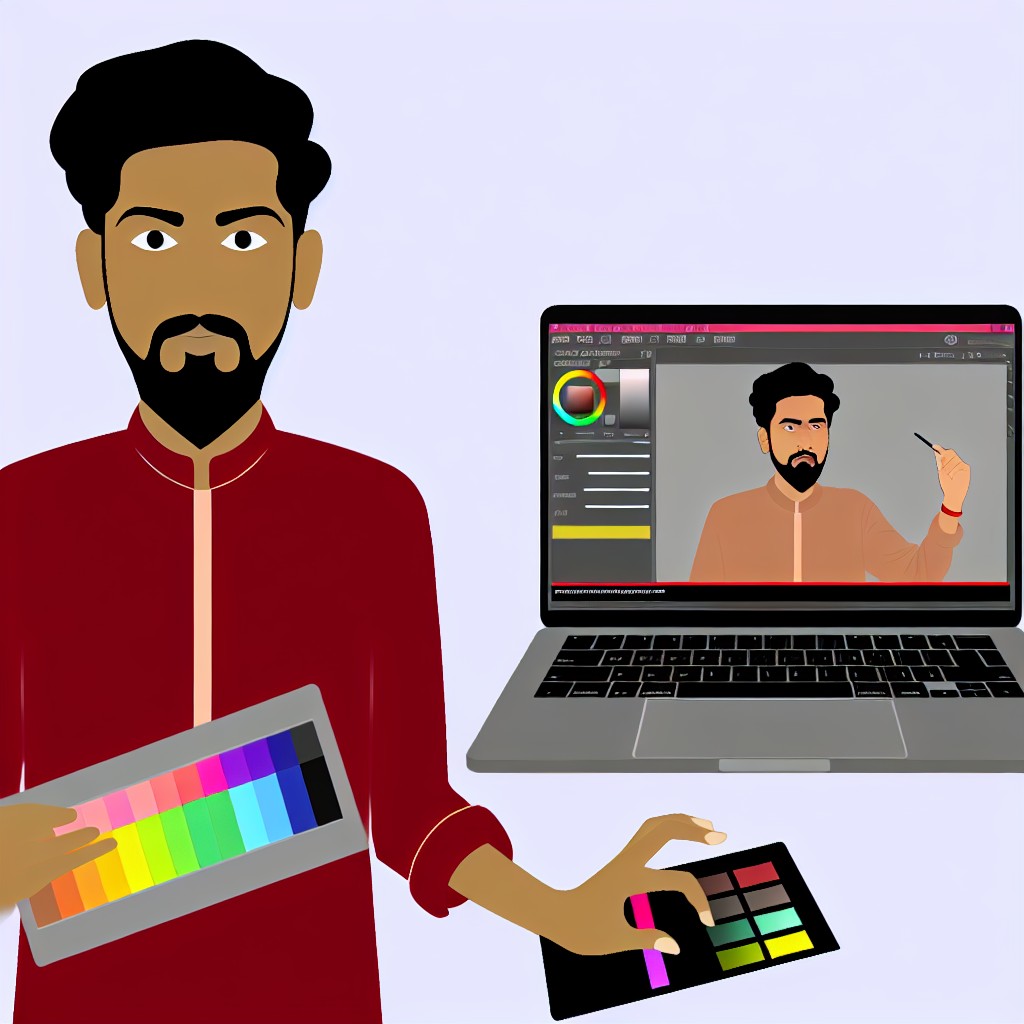
When it comes to color grading, one critical aspect deserves special attention.
Skin tones require careful adjustment to ensure they appear natural and accurate.
Enhancing skin tones improves the overall quality of your video significantly.
In this section, we explore the importance of skin tone adjustments.
We also provide practical tips for achieving the best results.
Understanding the Importance of Skin Tones
Skin tones play a pivotal role in video production.
The way skin appears can greatly affect the emotional impact of your video.
Here are key reasons why paying attention to skin tones is essential.
- Realism: Natural skin tones create a realistic portrayal of subjects.
- Connection: Accurate colors help viewers connect emotionally with the characters.
- Professionalism: Flawless skin tones elevate the professionalism of your video.
- Aesthetic Value: Harmonious skin tones contribute to the overall visual appeal.
Choosing the Right Reference
The first step to achieving accurate skin tones is selecting the right reference.
The reference establishes the desired look and feel for skin tones in your video.
Consider these tips for choosing a suitable reference.
- Use a Color Chart: A color chart can serve as an excellent reference for skin tones.
- Consult Real Photography: Analyze professionally shot images to guide your grading.
- Check Different Ethnicities: Consider various skin tones across different ethnic backgrounds.
Analyzing Skin Tones in Your Video
After selecting a reference, analyze the skin tones in your video footage.
Knowing how to assess skin tones accurately is vital.
Follow these steps to analyze skin tones effectively.
- Use Color Wheels: Color wheels help you visualize how skin tones sit within the color spectrum.
- Check in Different Lighting Conditions: Evaluate skin tones under various lighting setups.
- Seek Feedback: Get opinions from others to ensure accuracy in your assessment.
Adjusting Hues for Natural Skin Tones
Once you understand the desired skin tones, it’s time to make adjustments.
Adjusting hues is a key element to achieve natural skin tones.
Follow these guidelines for hue adjustment.
- Identify Dominant Colors: Determine the dominant colors in your footage affecting skin tones.
- Shift Hues Carefully: Use color grading tools to gently shift hues toward natural ranges.
- Maintain Balance: Ensure adjustments do not overly affect other colors or scene elements.
Managing Skin Tone Saturation
Saturation plays a crucial role in achieving healthy skin tones.
Over-saturation produces unnatural appearances.
Under-saturation can wash out your subjects.
Use these strategies to manage saturation effectively.
- Check for Over-Saturation: Watch for overly vivid skin tones during grading.
- Use Saturation Masks: Apply masks to isolate skin areas for targeted adjustments.
- Pursue a Natural Look: Aim for skin tones that reflect real life rather than exaggeration.
Utilizing Color Correction Tools
Modern editing software offers many tools for color correction.
Familiarity with these tools enhances your editing experience.
Consider using these options.
- RGB Curves: Adjust red, green, and blue channels to refine skin tones.
- Hue/Saturation Panels: Manipulate skin tones specifically without affecting other colors.
- Scopes: Use waveform monitors and vectorscopes to ensure accuracy in your grades.
Ensuring Accuracy Through Final Checks
After adjusting skin tones, a final check ensures accuracy and consistency.
Follow these steps for thorough evaluation.
- Playthrough the Footage: Watch the video multiple times to assess skin tone appearance.
- Compare with Reference: Cross-reference with your initial reference to confirm alignment.
- Get External Opinions: Share the video with trusted peers for valuable feedback.
Maintaining Consistency of Skin Tones Across Shots
Consistency across shots is vital for professional results.
Different lighting and settings may cause skin tone variations.
Use these tips to maintain consistency throughout your video.
- Group Similar Shots: Edit shots with similar lighting conditions together.
- Use LUTs: Consider Look-Up Tables for consistent color grading.
- Document Your Settings: Track your adjustments for future projects.
Achieving natural and accurate skin tones is essential in video color grading.
Focusing on skin tones can elevate your video quality significantly.
Transform Your Career Today
Unlock a personalized career strategy that drives real results. Get tailored advice and a roadmap designed just for you.
Start NowApplying these tips will help create stunning videos that resonate with audiences.
With practice, attention to skin tones becomes instinctual in your editing process.
This approach enhances both the beauty and impact of your work.
Consider the Overall Composition and Lighting
When color grading videos, always factor in the overall composition and lighting of your scenes.
Effective color grading amplifies the mood and message of your content.
Here are key considerations to keep in mind.
Evaluate the Atmosphere of Your Scene
Begin by assessing the atmosphere conveyed in the video.
The emotion of a scene often depends on its lighting and color tones.
For instance, a romantic scene might benefit from warmer tones.
Meanwhile, a thrill or horror scene may require cooler, darker hues.
Examine the following elements of each scene:
- Lighting Conditions: Observe how natural and artificial lights interact. Different lighting sources create various effects.
- Emotional Tone: Define the feeling portrayed in the shot. Aim to reflect that with your color choices.
- Camera Settings: Factor in exposure and white balance settings. They greatly influence the colors captured.
- Color Palette: Identify dominant colors. Highlighting or altering these impacts audience perceptions.
Incorporate Color Theory
Utilizing color theory effectively enhances visual storytelling.
Learn major concepts like color harmony and contrast.
These principles guide your color adjustments.
Consider employing the following color combinations:
- Complementary Colors: Colors opposite each other on the color wheel create dynamic contrasts.
- Analogous Colors: Colors next to each other generate a harmonious look. They provide a calming effect.
- Triadic Colors: Use three colors evenly spaced on the color wheel for visual interest. This approach adds depth.
Understanding these concepts aids in making strategic grading choices.
Choose colors that resonate with the scene’s intent.
Adjust White Balance for Realism
Correct white balance affects how colors appear in your video.
Improper white balance can yield unnatural results.
Analyze your footage to determine if adjustments are needed.
Use the following techniques to adjust white balance:
- Color Temperature: Adjust the warmth or coolness by altering the temperature slider. Aim for natural skin tones.
- Tint Adjustments: Correct green or magenta casts to achieve a more pleasing look. This helps balance the overall tone.
- Neutral Reference Points: Look for white, gray, or black objects in the scene. Use them as references for achieving correct balance.
By addressing white balance early in the color grading process, you maintain realism and enhance viewer engagement.
Leverage Contrast and Brightness
Contrast and brightness play crucial roles in defining video aesthetics.
They help in creating depth and focus within a scene.
Consider adjusting the following aspects:
- Contrast Levels: Increase contrast to make your imagery pop, while avoiding overexposure.
- Highlights and Shadows: Manipulate highlights for brightness and shadows for depth. This interplay adds richness.
- Midtones: Adjust midtones to refine the clarity of your subject. Proper midtone management ensures a balanced look.
Finding the right balance enhances the visual impact of your video.
Ensure that the visuals convey the intended emotion and message.
Enhance Color Through Strategic Adjustments
Strategic color adjustments improve the video’s overall aesthetic appeal.
Adjust specific colors to enhance or diminish their presence.
The following strategies can help effectively enhance your footage:
- Selective Color Grading: Target specific colors for enhancement or tone adjustments using HSL sliders.
- Color Wheels: Use color wheels to manipulate shadows, midtones, and highlights in a polished manner.
- Curves Adjustments: Employ curves for precise control over specific color ranges. This technique offers accuracy in grading.
Implementing these adjustments with purpose helps bolster the narrative and emotional pull of the video.
Assess the Overall Composition
Consider how the colors interact within the overall composition of the scene.
Each element should work cohesively to serve the storytelling.
To ensure harmony in your composition, evaluate:
- Color Distribution: Ensure that colors are evenly distributed throughout the shot. Effective distributions create visual balance.
- Foreground and Background Colors: Contrast these areas to guide viewer focus. Ensure that the subject stands out against the background.
- Composition Techniques: Use techniques like the rule of thirds to enhance visual appeal.
By taking these aspects into account during color grading, you bolster visual coherence and amplify the story.
Develop a Unique Color Grading Style
Finally, developing a unique color grading style takes practice and experimentation.
Do not hesitate to explore various techniques.
Consider the following for stylized results:
- Reference Footage: Analyze styles from videos or films you admire. Identify techniques that resonate with you.
- Practice Different Styles: Experiment with various genres and frameworks. Understanding diverse styles broadens your skill set.
- Seek Feedback: Share your work with peers and fellow videographers. Honest critiques provide valuable insights.
Through ongoing practice, you will refine your approach, resulting in stunning and impactful videos.
Significance of Color Grading in Visual Storytelling
Color grading plays a vital role in video production.
Transform Your Career Today
Unlock a personalized career strategy that drives real results. Get tailored advice and a roadmap designed just for you.
Start NowIt enhances the visual storytelling experience.
By adjusting colors, we can evoke emotions and set the mood.
A well-graded video captures the audience’s attention.
It transforms raw footage into a polished masterwork.
Effective color grading helps convey the desired tone of a scene.
Techniques That Elevate Video Quality
Throughout this section, we highlighted various techniques for color grading.
Each technique offers unique advantages that can elevate your work.
Color balance, contrast, and saturation adjustments significantly impact video quality.
Understanding color theory empowers creators to make informed decisions.
It allows them to match visuals with the intended narrative.
Creating Coherence Across Disparate Clips
We covered how color grading can unify disparate clips.
Consistency across shots creates a seamless viewing experience.
This coherence strengthens the storytelling, helping audiences engage more deeply.
When clips match in color and tone, they feel like part of a whole.
Viewers become more invested in the narrative journey.
Developing Your Artistic Skills in Color Grading
Remember, color grading is not just a technique; it is an art form.
The more you practice, the more you refine your skills.
Experiment with different grading styles to discover your unique voice.
Each project is an opportunity to learn and grow creatively.
Do not hesitate to try bold choices and push boundaries!
Inspiration and Continuous Improvement
Finally, stay inspired by the work of others.
Analyze films and videos that resonate with you.
Pay attention to how color influences your emotions.
Take notes and incorporate successful strategies into your projects.
Your journey in color grading will evolve over time.
Keep experimenting, and you will enhance the quality of your videos significantly.
Mastering Color Grading to Transform Your Videos
Color grading can transform ordinary footage into stunning visuals.
With dedication and practice, every creator can master this skill.
Embrace the process, and let your creativity shine through.
Your stunning videos await!
Additional Resources
Multi-cam project edit worked superb but ColorGrading Panel …
somehow, posting this online is way less embarrassing than putting …